We help our clients achieve great things Joomla Template



Edit Template Offline
2. Create new page and search for id 5371256
Edit Template Online
Create Awesome Websites


Free Nicepage Builder
Keywords
The Graphic Design Gallery Creates Structured Joomla Content Areas
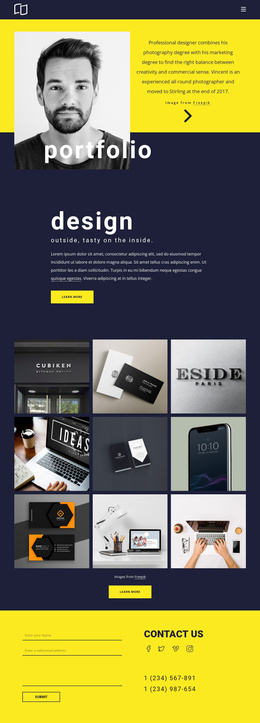
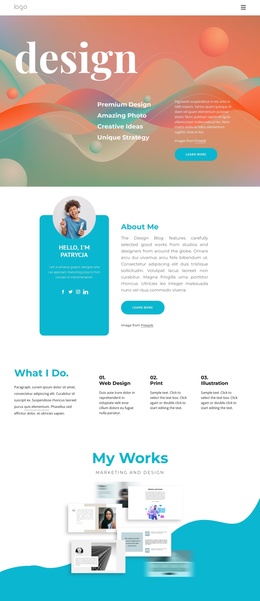
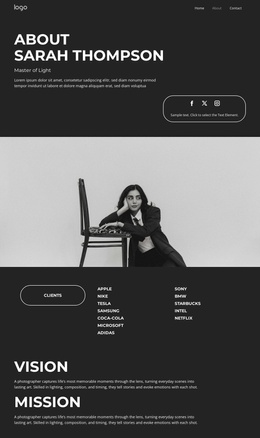
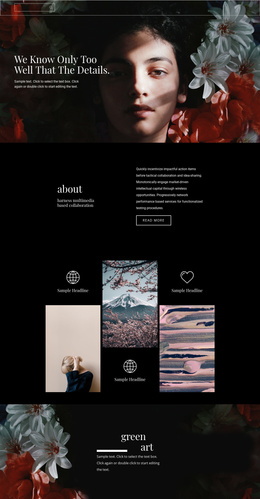
The page divides the studio presentation into recognizable content regions that can be maintained as a CMS-oriented site structure. A compact header contains the logo area, an About link, and a menu control, establishing the navigation region before the portfolio content begins. The hero then introduces the studio through a large photograph, a black information panel, and orange geometric accents, keeping the primary message visually separate from the work samples that follow.
The gallery is the most substantial recurring content area. Eight project cards are grouped under “We love what we do,” and each card carries a project title with a Graphic Design label. That repetition provides a clear model for structured portfolio entries: projects can remain visually consistent while their titles, images, and descriptions are changed as the studio’s work develops. The Company section adds another content region, joining high-quality services messaging with phone and location blocks rather than leaving contact information as an isolated detail.
The About link and the social rows in the contact and footer areas complete the site-wide relationship between navigation, portfolio content, company information, and external contact channels. Joomla can therefore accommodate this design as a set of organized studio sections without changing the visible page character. The template’s value lies in how its gallery, service context, contact area, and shared social elements already divide the presentation into manageable editorial regions.
Customize with Nicepage
Open this ready-made template in the Joomla Page Builder and customize it visually in the Nicepage editor. Replace demo content, edit page sections, and adapt the design to your project without rebuilding the template from scratch.
Work With This Template in Joomla
Customize and Install the Joomla Template
Start with this ready-made template instead of building the Joomla design from scratch. Customize its layout, content, typography, images, sections, and other design elements visually in the Nicepage application, then export and install the Joomla Template, Nicepage Extension, and supported content on your Joomla website.
Edit the Template Directly in Joomla
After installation, you can edit the Joomla Template directly in Joomla with the Nicepage Joomla Extension. Customize the Header, Footer, Colors, Fonts, typography, and Page Templates from the Joomla workflow while keeping the site design connected with your CMS content.
Edit Joomla Articles Visually
Use the Nicepage Joomla Extension to open and edit Joomla Articles visually from the Joomla Administrator. Change text, images, sections, layouts, and other page content in the Nicepage editor while continuing to manage the Articles through Joomla.
Joomla Content and Template Integration
Use the customized template together with Joomla Articles, module Positions, menus, forms, Blog Pages, and other supported CMS elements. With the Nicepage Extension used as the Site Style Source, shared design settings can be applied across Joomla Articles while Joomla continues to provide the CMS environment for managing site content.
This workflow combines a ready-made Joomla Template with visual customization, direct template editing in Joomla, and continued content management through the Nicepage Joomla Extension.