Boost your leadership skills Joomla Template


The Leadership Heading Forms a Structured Education Content Region
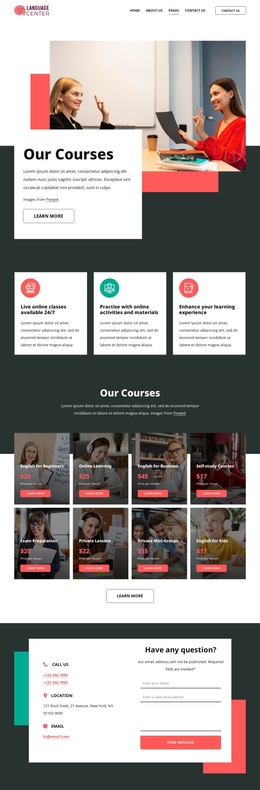
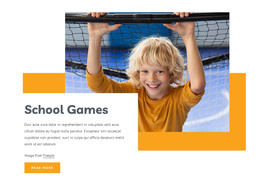
The section separates its introductory message into a compact set of content roles: the “Busines school” label establishes the education context, and “Boost Your Leadership Skills” states the central topic. A classroom photograph showing multiple students raising their hands supplies the visual setting, while the dark navy panel gives the text a stable, readable region over the image. The image attribution line remains a small supporting detail within the same section rather than competing with the main heading.
In a Joomla-managed project, this arrangement can serve as a reusable content region for an education or professional training page. The heading and label can represent stable informational content, while the surrounding site manages broader pages and editorial material through Joomla. The block’s single-section structure keeps the leadership message visually self-contained, making it suitable for an introductory area before more detailed course, program, or contact content.
The two large rectangular accents reinforce the block’s internal grouping by extending the layered image-and-panel composition into the background. Light gray space separates those shapes from the dark navy card, while peach and warm beige details soften the contrast. This gives the CMS-managed page a defined visual section without suggesting that the block itself contains Joomla navigation, articles, or a complete site structure.
Customize with Nicepage
Open this ready-made template in the Joomla Page Builder and customize it visually in the Nicepage editor. Replace demo content, edit page sections, and adapt the design to your project without rebuilding the template from scratch.
Edit Template Offline
2. Create a new page or select existing
3. Click Add new block, search for id 429614 and click enter
Edit Template Online
Create Awesome Websites


Free Nicepage Builder
Keywords
Work With This Template in Joomla
Customize and Install the Joomla Template
Start with this ready-made template instead of building the Joomla design from scratch. Customize its layout, content, typography, images, sections, and other design elements visually in the Nicepage application, then export and install the Joomla Template, Nicepage Extension, and supported content on your Joomla website.
Edit the Template Directly in Joomla
After installation, you can edit the Joomla Template directly in Joomla with the Nicepage Joomla Extension. Customize the Header, Footer, Colors, Fonts, typography, and Page Templates from the Joomla workflow while keeping the site design connected with your CMS content.
Edit Joomla Articles Visually
Use the Nicepage Joomla Extension to open and edit Joomla Articles visually from the Joomla Administrator. Change text, images, sections, layouts, and other page content in the Nicepage editor while continuing to manage the Articles through Joomla.
Joomla Content and Template Integration
Use the customized template together with Joomla Articles, module Positions, menus, forms, Blog Pages, and other supported CMS elements. With the Nicepage Extension used as the Site Style Source, shared design settings can be applied across Joomla Articles while Joomla continues to provide the CMS environment for managing site content.
This workflow combines a ready-made Joomla Template with visual customization, direct template editing in Joomla, and continued content management through the Nicepage Joomla Extension.