Creative fashion ideas Joomla Template


The Heading and Image Panels Create Three Clear Content Areas
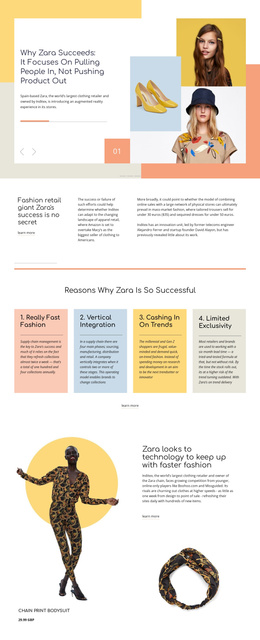
The left heading region establishes the block’s first structural group through the phrase “Let's Get Creative Ideas,” large white display typography, and the arrow placed beneath it. Two adjacent portrait-oriented image panels form the second major content group on the right, while the background treatment connects the areas into one section. This organization gives the block a readable internal hierarchy: a text-led introduction is followed by a paired photographic presentation rather than a flat row of unrelated objects.
Within a Joomla-managed page, that division can support a structured introductory content area for a fashion or beauty presentation. The block can be kept as one visual region while surrounding Joomla content handles other page topics and editorial needs. The three-part arrangement also makes the intended relationship between message and imagery clear: the heading supplies the creative statement, and the portraits provide visual context for it.
The dusty pink field and dark organic texture are part of the grouping logic as well as the appearance. The texture sits behind the heading, helping distinguish the text area from the image areas, while the black-and-white treatment gives the two portraits a shared visual language. The static interaction keeps the hierarchy immediately visible, so visitors encounter the statement and both image panels together without an additional control or sequence to interpret.
Customize with Nicepage
Open this ready-made template in the Joomla Page Builder and customize it visually in the Nicepage editor. Replace demo content, edit page sections, and adapt the design to your project without rebuilding the template from scratch.
Edit Template Offline
2. Create a new page or select existing
3. Click Add new block, search for id 51554 and click enter
Edit Template Online
Create Awesome Websites


Free Nicepage Builder
Keywords
Work With This Template in Joomla
Customize and Install the Joomla Template
Start with this ready-made template instead of building the Joomla design from scratch. Customize its layout, content, typography, images, sections, and other design elements visually in the Nicepage application, then export and install the Joomla Template, Nicepage Extension, and supported content on your Joomla website.
Edit the Template Directly in Joomla
After installation, you can edit the Joomla Template directly in Joomla with the Nicepage Joomla Extension. Customize the Header, Footer, Colors, Fonts, typography, and Page Templates from the Joomla workflow while keeping the site design connected with your CMS content.
Edit Joomla Articles Visually
Use the Nicepage Joomla Extension to open and edit Joomla Articles visually from the Joomla Administrator. Change text, images, sections, layouts, and other page content in the Nicepage editor while continuing to manage the Articles through Joomla.
Joomla Content and Template Integration
Use the customized template together with Joomla Articles, module Positions, menus, forms, Blog Pages, and other supported CMS elements. With the Nicepage Extension used as the Site Style Source, shared design settings can be applied across Joomla Articles while Joomla continues to provide the CMS environment for managing site content.
This workflow combines a ready-made Joomla Template with visual customization, direct template editing in Joomla, and continued content management through the Nicepage Joomla Extension.