A global architecture, design, and planning firm Joomla Template


Project figures form a structured Joomla content region
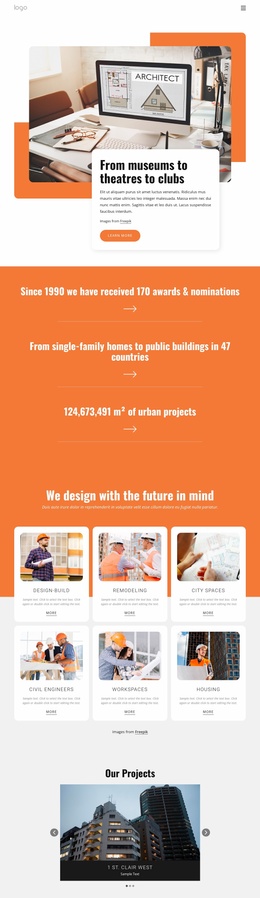
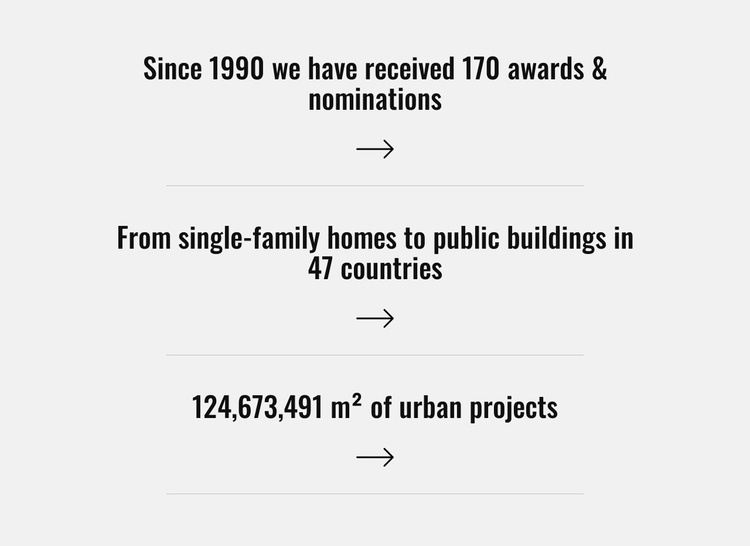
The three centered statements divide the section into clear informational units: an awards-and-nominations figure, a geographic reach statement, and an urban-project area figure. The displayed values are presented as content highlights, with the first referring to 170 awards and nominations since 1990, the second naming projects in 47 countries, and the third specifying 124,673,491 m² of urban projects. Together, the items create a compact record of scale and recognition without requiring a long explanatory article.
In a Joomla-managed page, this arrangement can serve as a stable structured content region for an architecture, planning, or design presentation. The distinction between the three statements makes each item easy to maintain as a separate informational unit while preserving the visual rhythm of the section. The centered arrow below each statement adds a repeated directional cue, and the horizontal rules keep the items visually independent within one column. The light gray background and bold black type support quick reading, while the tall spacing prevents the figures from merging into one dense block. Related project descriptions, service information, or contact content can appear in neighboring sections, leaving this block focused on measurable highlights and project reach.
Customize with Nicepage
Open this ready-made template in the Joomla Page Builder and customize it visually in the Nicepage editor. Replace demo content, edit page sections, and adapt the design to your project without rebuilding the template from scratch.
Edit Template Offline
2. Create a new page or select existing
3. Click Add new block, search for id 5094500 and click enter
Edit Template Online
Create Awesome Websites


Free Nicepage Builder
Keywords
Work With This Template in Joomla
Customize and Install the Joomla Template
Start with this ready-made template instead of building the Joomla design from scratch. Customize its layout, content, typography, images, sections, and other design elements visually in the Nicepage application, then export and install the Joomla Template, Nicepage Extension, and supported content on your Joomla website.
Edit the Template Directly in Joomla
After installation, you can edit the Joomla Template directly in Joomla with the Nicepage Joomla Extension. Customize the Header, Footer, Colors, Fonts, typography, and Page Templates from the Joomla workflow while keeping the site design connected with your CMS content.
Edit Joomla Articles Visually
Use the Nicepage Joomla Extension to open and edit Joomla Articles visually from the Joomla Administrator. Change text, images, sections, layouts, and other page content in the Nicepage editor while continuing to manage the Articles through Joomla.
Joomla Content and Template Integration
Use the customized template together with Joomla Articles, module Positions, menus, forms, Blog Pages, and other supported CMS elements. With the Nicepage Extension used as the Site Style Source, shared design settings can be applied across Joomla Articles while Joomla continues to provide the CMS environment for managing site content.
This workflow combines a ready-made Joomla Template with visual customization, direct template editing in Joomla, and continued content management through the Nicepage Joomla Extension.