Designing future solutions together Joomla Template



Edit Template Offline
2. Create new page and search for id 4978339
Edit Template Online
Create Awesome Websites


Free Nicepage Builder
Keywords
Service Cards and Contact Regions Form a Joomla Content Structure
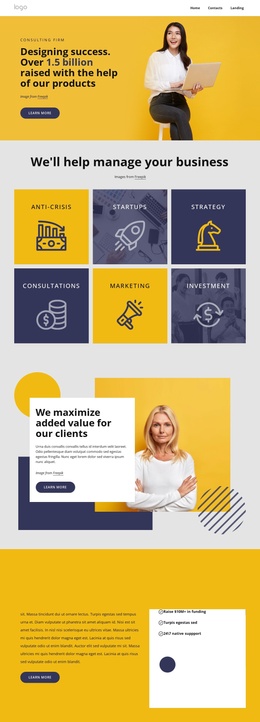
The page divides consulting information into recurring content regions that can be understood and maintained within a Joomla-oriented site structure. Navigation links for Home, Contacts, and Landing establish the shared route into the page, while the opening “Got a project? Let’s talk” block gives the design an identifiable entry point. Its photograph and overlapping white card separate the introductory message from the darker surrounding background.
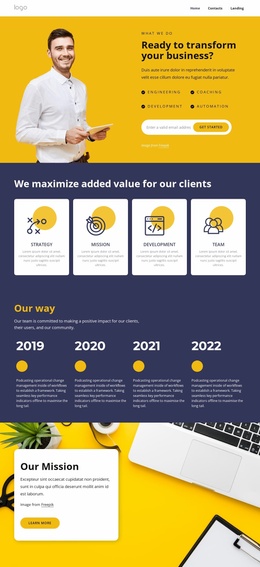
The six capability cards provide the most reusable informational unit in the design. Themes such as Business Strategy, Strategic Foresight, Product Validation, and User Research are presented through a repeated image-backed pattern, making the group suitable for organized service content rather than one uninterrupted text area. The later “What we do” block adds two concise columns for digital implementation, management consulting, restructuring, cybersecurity, and strategic or performance projects. This gives the page a second level of content grouping.
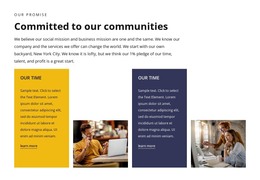
The five-logo showcase, social links, and final contact region complete the site-facing structure. The closing area is particularly important because it combines contact details with an inquiry form, giving visitors a direct way to respond after reviewing the services. Joomla can therefore provide the managed environment around these navigation, service, showcase, and contact regions, while the dark indigo, white, and yellow-accented visual system keeps those content areas coordinated.
Customize with Nicepage
Open this ready-made template in the Joomla Page Builder and customize it visually in the Nicepage editor. Replace demo content, edit page sections, and adapt the design to your project without rebuilding the template from scratch.
Work With This Template in Joomla
Customize and Install the Joomla Template
Start with this ready-made template instead of building the Joomla design from scratch. Customize its layout, content, typography, images, sections, and other design elements visually in the Nicepage application, then export and install the Joomla Template, Nicepage Extension, and supported content on your Joomla website.
Edit the Template Directly in Joomla
After installation, you can edit the Joomla Template directly in Joomla with the Nicepage Joomla Extension. Customize the Header, Footer, Colors, Fonts, typography, and Page Templates from the Joomla workflow while keeping the site design connected with your CMS content.
Edit Joomla Articles Visually
Use the Nicepage Joomla Extension to open and edit Joomla Articles visually from the Joomla Administrator. Change text, images, sections, layouts, and other page content in the Nicepage editor while continuing to manage the Articles through Joomla.
Joomla Content and Template Integration
Use the customized template together with Joomla Articles, module Positions, menus, forms, Blog Pages, and other supported CMS elements. With the Nicepage Extension used as the Site Style Source, shared design settings can be applied across Joomla Articles while Joomla continues to provide the CMS environment for managing site content.
This workflow combines a ready-made Joomla Template with visual customization, direct template editing in Joomla, and continued content management through the Nicepage Joomla Extension.