Change the way problems are solved Joomla Template



Edit Template Offline
2. Create new page and search for id 4969188
Edit Template Online
Create Awesome Websites


Free Nicepage Builder
Keywords
Service Categories and Contact Regions for a Joomla Consulting Site
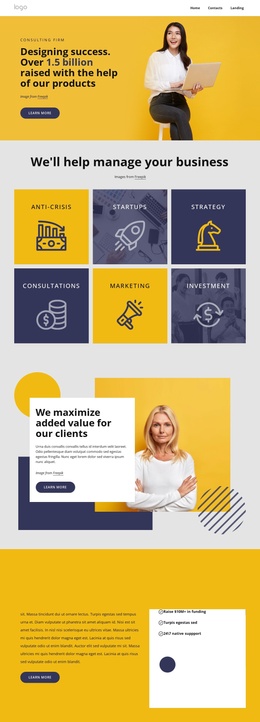
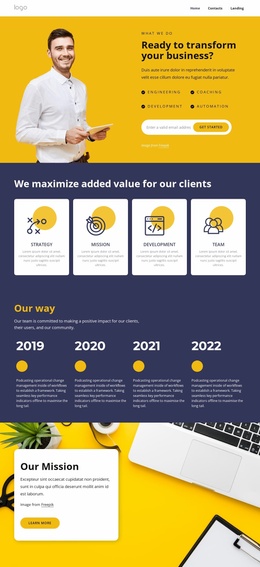
The six business focus tiles give the design a clear set of structured information areas: Anti-Crisis, Startups, Strategy, Consultations, Marketing, and Investment. That grouping can translate naturally into a Joomla-managed consulting site, where recurring service information and supporting descriptions can be maintained as organized content rather than treated as one uninterrupted introduction. The later Strategy & Consulting Services section adds a second layer of detail through six numbered entries covering Marketing, Operations, Strategy, Procurement, Sustainability, and Private Equity.
Navigation and shared site regions also have defined roles. The opening hero and Company section establish the firm, while the milestone panel supplies a separate credibility reference without interrupting the service explanation. A testimonial then provides a human perspective before the page moves toward the Get Started Now prompt and the final contact area. The closing section combines phone details, a location, social links, top-service references, and an inquiry form, creating a practical content region for visitor questions. In a Joomla project, this separation supports a site structure in which service, company, contact, and navigation content can remain coordinated as the business updates its information.
Customize with Nicepage
Open this ready-made template in the Joomla Page Builder and customize it visually in the Nicepage editor. Replace demo content, edit page sections, and adapt the design to your project without rebuilding the template from scratch.
Work With This Template in Joomla
Customize and Install the Joomla Template
Start with this ready-made template instead of building the Joomla design from scratch. Customize its layout, content, typography, images, sections, and other design elements visually in the Nicepage application, then export and install the Joomla Template, Nicepage Extension, and supported content on your Joomla website.
Edit the Template Directly in Joomla
After installation, you can edit the Joomla Template directly in Joomla with the Nicepage Joomla Extension. Customize the Header, Footer, Colors, Fonts, typography, and Page Templates from the Joomla workflow while keeping the site design connected with your CMS content.
Edit Joomla Articles Visually
Use the Nicepage Joomla Extension to open and edit Joomla Articles visually from the Joomla Administrator. Change text, images, sections, layouts, and other page content in the Nicepage editor while continuing to manage the Articles through Joomla.
Joomla Content and Template Integration
Use the customized template together with Joomla Articles, module Positions, menus, forms, Blog Pages, and other supported CMS elements. With the Nicepage Extension used as the Site Style Source, shared design settings can be applied across Joomla Articles while Joomla continues to provide the CMS environment for managing site content.
This workflow combines a ready-made Joomla Template with visual customization, direct template editing in Joomla, and continued content management through the Nicepage Joomla Extension.