Let's Start Something Great Joomla Template


Edit Template Offline
2. Create new page and search for id 4522707
Edit Template Online
Create Awesome Websites


Free Nicepage Builder
Keywords
Location Cards and Navigation Define Reusable Contact Regions
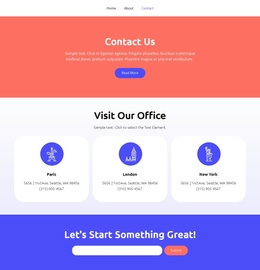
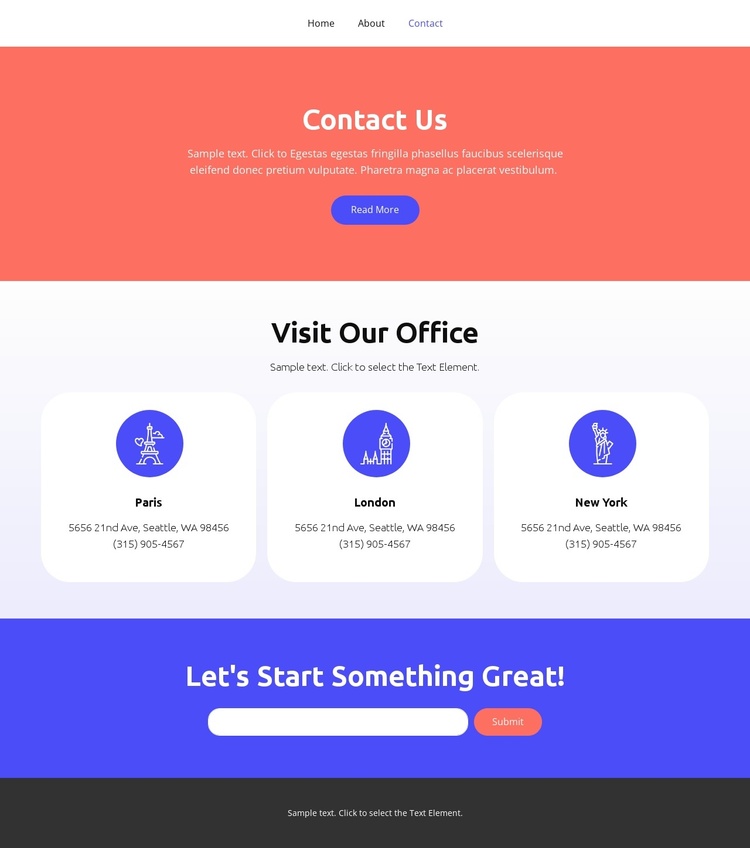
The three office cards give the design a structured set of location regions: Paris, London, and New York each occupy a separate rounded card with address and phone details. This separation is useful for a CMS-managed contact page because location information can remain visually consistent while individual details are maintained as distinct content areas. The Visit Our Office heading provides one shared context for the group rather than treating the cards as unrelated text.
The navigation row adds another organized region, linking Home, Landing, About, Team, and Contact. It places the contact page within a broader site path without changing the compact presentation. Beneath the location content, the full-width colored form section concentrates email inquiry collection in one recognizable area. The Contact Us introduction and Read More action establish the page context before visitors reach the form and Submit action.
In a Joomla project, these clearly divided sections can provide a practical content arrangement for a CMS-managed site: navigation, structured location information, an inquiry area, and shared footer text each have an identifiable role. The city names, addresses, phone details, and sample messages are demonstration content rather than verified business data, so they should be replaced while preserving the relationships that make the page easy to organize.
Customize with Nicepage
Open this ready-made template in the Joomla Page Builder and customize it visually in the Nicepage editor. Replace demo content, edit page sections, and adapt the design to your project without rebuilding the template from scratch.
Work With This Template in Joomla
Customize and Install the Joomla Template
Start with this ready-made template instead of building the Joomla design from scratch. Customize its layout, content, typography, images, sections, and other design elements visually in the Nicepage application, then export and install the Joomla Template, Nicepage Extension, and supported content on your Joomla website.
Edit the Template Directly in Joomla
After installation, you can edit the Joomla Template directly in Joomla with the Nicepage Joomla Extension. Customize the Header, Footer, Colors, Fonts, typography, and Page Templates from the Joomla workflow while keeping the site design connected with your CMS content.
Edit Joomla Articles Visually
Use the Nicepage Joomla Extension to open and edit Joomla Articles visually from the Joomla Administrator. Change text, images, sections, layouts, and other page content in the Nicepage editor while continuing to manage the Articles through Joomla.
Joomla Content and Template Integration
Use the customized template together with Joomla Articles, module Positions, menus, forms, Blog Pages, and other supported CMS elements. With the Nicepage Extension used as the Site Style Source, shared design settings can be applied across Joomla Articles while Joomla continues to provide the CMS environment for managing site content.
This workflow combines a ready-made Joomla Template with visual customization, direct template editing in Joomla, and continued content management through the Nicepage Joomla Extension.