Call me or write Joomla Template


The service list gives Joomla-managed contact content a stable visual region
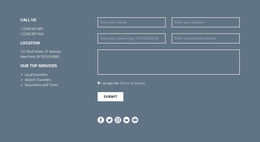
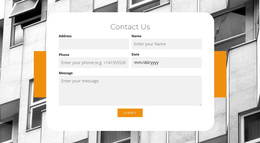
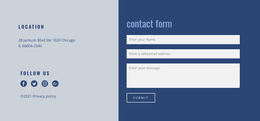
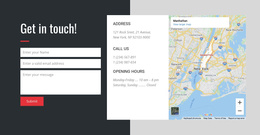
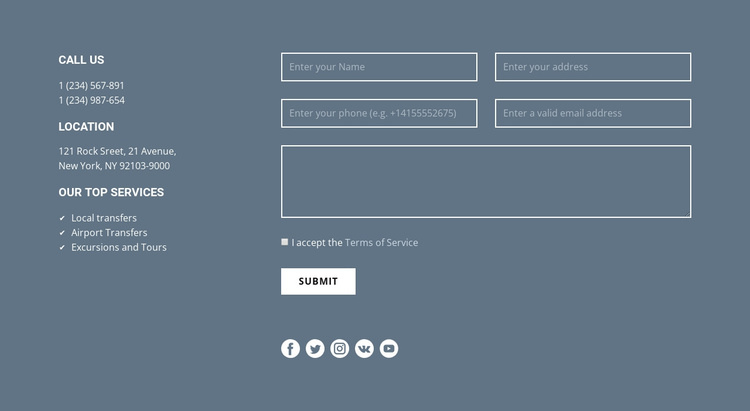
The left side is well suited to structured informational content because it separates contact details from the response controls. The CALL US area contains two telephone numbers, while LOCATION presents the displayed New York, NY address. Beneath them, OUR TOP SERVICES groups Local transfers, Airport Transfers, and Excursions and Tours into a concise service summary. The right side gives the visitor a distinct contact form with contact and message inputs, terms acceptance, and a Submit action.
Within a Joomla-managed page composition, this arrangement can remain a stable visual section while related content is maintained elsewhere in the broader project. The block's service labels provide a clear content region for an inquiry context, but they do not need to be treated as a category system or as separate CMS structures. The form has its own role, so editorial changes to service wording can remain visually separate from changes to response fields.
Five social media icons beneath the form add a secondary connection point without interrupting the main contact path. The muted blue-gray background, white text, and outlined fields provide continuity across the two columns. That combination makes the section useful when a Joomla page needs structured service information beside a focused contact area, with the surrounding composition supplying navigation and other page content.
Customize with Nicepage
Open this ready-made template in the Joomla Page Builder and customize it visually in the Nicepage editor. Replace demo content, edit page sections, and adapt the design to your project without rebuilding the template from scratch.
Edit Template Offline
2. Create a new page or select existing
3. Click Add new block, search for id 400426 and click enter
Edit Template Online
Create Awesome Websites


Free Nicepage Builder
Keywords
Work With This Template in Joomla
Customize and Install the Joomla Template
Start with this ready-made template instead of building the Joomla design from scratch. Customize its layout, content, typography, images, sections, and other design elements visually in the Nicepage application, then export and install the Joomla Template, Nicepage Extension, and supported content on your Joomla website.
Edit the Template Directly in Joomla
After installation, you can edit the Joomla Template directly in Joomla with the Nicepage Joomla Extension. Customize the Header, Footer, Colors, Fonts, typography, and Page Templates from the Joomla workflow while keeping the site design connected with your CMS content.
Edit Joomla Articles Visually
Use the Nicepage Joomla Extension to open and edit Joomla Articles visually from the Joomla Administrator. Change text, images, sections, layouts, and other page content in the Nicepage editor while continuing to manage the Articles through Joomla.
Joomla Content and Template Integration
Use the customized template together with Joomla Articles, module Positions, menus, forms, Blog Pages, and other supported CMS elements. With the Nicepage Extension used as the Site Style Source, shared design settings can be applied across Joomla Articles while Joomla continues to provide the CMS environment for managing site content.
This workflow combines a ready-made Joomla Template with visual customization, direct template editing in Joomla, and continued content management through the Nicepage Joomla Extension.