Dream real estate agency Joomla Template



Edit Template Offline
2. Create new page and search for id 31871
Edit Template Online
Create Awesome Websites


Free Nicepage Builder
Keywords
Mission, Projects, Awards, and Contacts Form Structured Site Regions
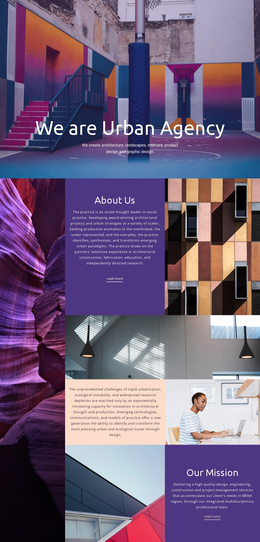
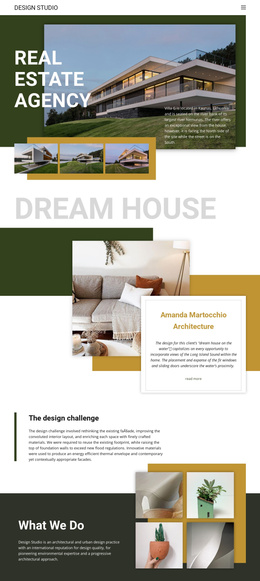
The four visual navigation items give this design a useful content map for a CMS-managed architecture site. Mission, Projects, Awards, and Contacts separate the practice story into recognizable regions, while the opening hero and “The design challenge” section provide introductory and methodological context. This arrangement supports structured editorial content without reducing the page to a generic collection of images.
The project-focused areas add further content relationships. “Dream house” and “Good Work” each combine a residential image, project description, overlapping white information card, and Read More link. The central grid extends that pattern with four project links—Meraki Market Parklet, Turner Residence, Tech Office Space, and David Ireland House—beside architectural photography. In a Joomla project, these areas can be interpreted as recurring informational and project regions, while the shared navigation and dark social footer help keep movement between them visually coordinated. The four social links also define a distinct footer content area rather than being mixed into the project presentation.
The design therefore suits a Joomla-oriented site where architectural information is divided into manageable sections and presented through a consistent template. Joomla content can occupy the mission, project, award, and contact regions while the page retains its olive, mustard, white, and charcoal visual character. The interpretation is based on the template’s real content zones, not on assuming that specific Joomla article types already exist.
Customize with Nicepage
Open this ready-made template in the Joomla Page Builder and customize it visually in the Nicepage editor. Replace demo content, edit page sections, and adapt the design to your project without rebuilding the template from scratch.
Work With This Template in Joomla
Customize and Install the Joomla Template
Start with this ready-made template instead of building the Joomla design from scratch. Customize its layout, content, typography, images, sections, and other design elements visually in the Nicepage application, then export and install the Joomla Template, Nicepage Extension, and supported content on your Joomla website.
Edit the Template Directly in Joomla
After installation, you can edit the Joomla Template directly in Joomla with the Nicepage Joomla Extension. Customize the Header, Footer, Colors, Fonts, typography, and Page Templates from the Joomla workflow while keeping the site design connected with your CMS content.
Edit Joomla Articles Visually
Use the Nicepage Joomla Extension to open and edit Joomla Articles visually from the Joomla Administrator. Change text, images, sections, layouts, and other page content in the Nicepage editor while continuing to manage the Articles through Joomla.
Joomla Content and Template Integration
Use the customized template together with Joomla Articles, module Positions, menus, forms, Blog Pages, and other supported CMS elements. With the Nicepage Extension used as the Site Style Source, shared design settings can be applied across Joomla Articles while Joomla continues to provide the CMS environment for managing site content.
This workflow combines a ready-made Joomla Template with visual customization, direct template editing in Joomla, and continued content management through the Nicepage Joomla Extension.