Bright look for the party Joomla Template


The heading and portrait create a clear Joomla content region
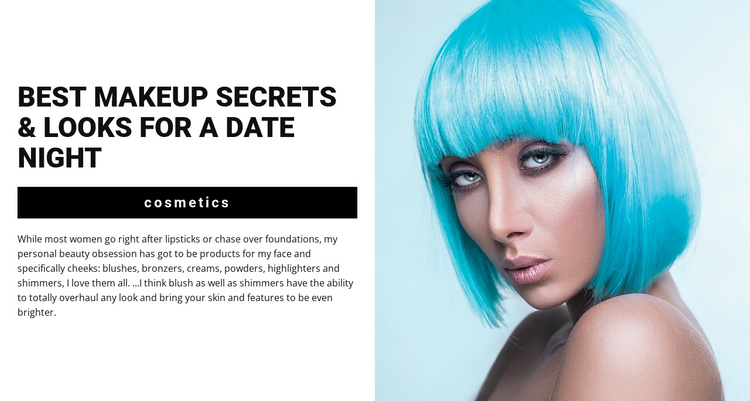
The left panel organizes the section as a compact editorial content region: a “cosmetics” category label, the heading “Best makeup secrets & looks for a date night,” a black horizontal divider, and a descriptive paragraph. The paragraph gives the topic substance by naming blushes, bronzers, creams, powders, highlighters, and shimmers, so the section reads as more than a generic beauty image. The right panel holds one close-up portrait with bright cyan hair, providing a separate visual counterpart to the written material.
That internal separation suits a Joomla-managed content context where a structured article-like introduction can occupy one stable area of a page. The block does not need to carry the broader site’s navigation or editorial system; it can present the opening subject while surrounding content areas handle related articles, product detail, or additional media. The equal split also makes the relationship between text and image easy to preserve when the section is placed alongside other content regions.
The block’s value in this context comes from the way its content is already grouped. The category identifies the subject, the heading states the editorial angle, the paragraph expands it with product vocabulary, and the portrait supplies immediate visual context. Together, these parts can introduce a beauty-focused article or content area while leaving the broader Joomla project to manage the surrounding pages and published material.
Customize with Nicepage
Open this ready-made template in the Joomla Page Builder and customize it visually in the Nicepage editor. Replace demo content, edit page sections, and adapt the design to your project without rebuilding the template from scratch.
Edit Template Offline
2. Create a new page or select existing
3. Click Add new block, search for id 214186 and click enter
Edit Template Online
Create Awesome Websites


Free Nicepage Builder
Keywords
Work With This Template in Joomla
Customize and Install the Joomla Template
Start with this ready-made template instead of building the Joomla design from scratch. Customize its layout, content, typography, images, sections, and other design elements visually in the Nicepage application, then export and install the Joomla Template, Nicepage Extension, and supported content on your Joomla website.
Edit the Template Directly in Joomla
After installation, you can edit the Joomla Template directly in Joomla with the Nicepage Joomla Extension. Customize the Header, Footer, Colors, Fonts, typography, and Page Templates from the Joomla workflow while keeping the site design connected with your CMS content.
Edit Joomla Articles Visually
Use the Nicepage Joomla Extension to open and edit Joomla Articles visually from the Joomla Administrator. Change text, images, sections, layouts, and other page content in the Nicepage editor while continuing to manage the Articles through Joomla.
Joomla Content and Template Integration
Use the customized template together with Joomla Articles, module Positions, menus, forms, Blog Pages, and other supported CMS elements. With the Nicepage Extension used as the Site Style Source, shared design settings can be applied across Joomla Articles while Joomla continues to provide the CMS environment for managing site content.
This workflow combines a ready-made Joomla Template with visual customization, direct template editing in Joomla, and continued content management through the Nicepage Joomla Extension.