
Happiness Joomla Template


Edit Template Offline
2. Create new page and search for id 18701
Edit Template Online
Create Awesome Websites


Free Nicepage Builder
Keywords
Wellbeing Articles and Shared Regions Suit Joomla Content
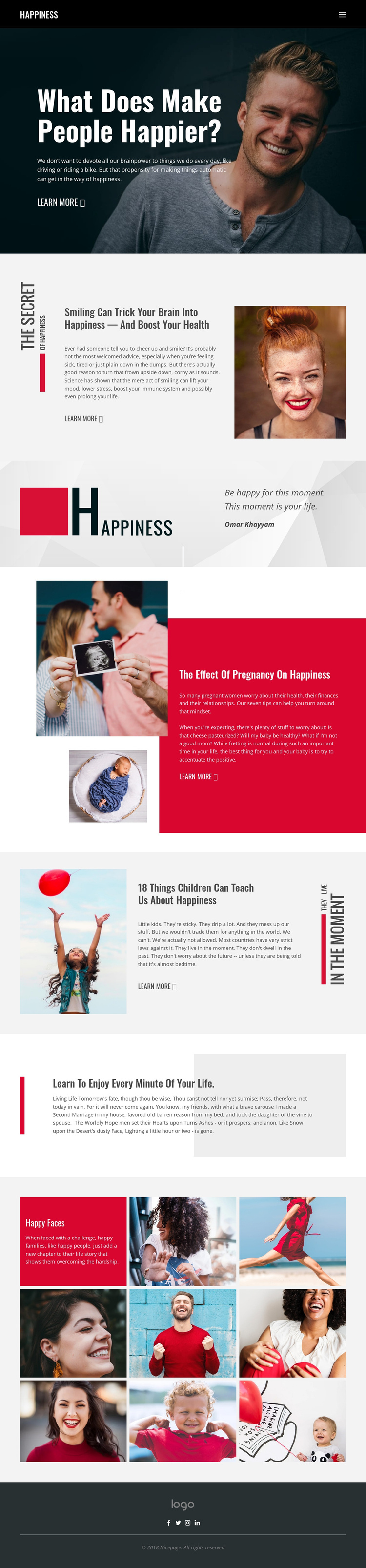
The service-like structure of this design is not the main story; its strength lies in clearly separated editorial areas that can hold organized site content. The opening happiness feature introduces the subject, followed by article regions devoted to smiling and health, pregnancy, and lessons children can teach about happiness. Each area has a headline, supporting copy, imagery, and a learn-more link, creating distinct content units that can remain visually coordinated while their text and images are maintained through a CMS-oriented site structure.
Navigation and shared regions reinforce that organization. The dark header contains the Happiness wordmark and a horizontal menu, while the dark footer repeats the brand context with social links for Facebook, Twitter, Instagram, and LinkedIn. Between those persistent areas, the quotation attributed to Omar Khayyam and the reflective gray passage provide different editorial formats: one is a short centered quotation, and the other is a longer reading panel with a vertical red accent. The Happy Faces section adds a repeated image collection focused on faces and families, giving the page another structured content area rather than a single decorative image.
For a Joomla project, this arrangement can support a site where related informational sections, navigation, gallery content, and contact or social context are managed as separate regions while preserving the same visual direction. The interpretation depends on the actual article and image areas in this template, not on adding unverified Joomla-specific content types.
Customize with Nicepage
Open this ready-made template in the Joomla Page Builder and customize it visually in the Nicepage editor. Replace demo content, edit page sections, and adapt the design to your project without rebuilding the template from scratch.
Work With This Template in Joomla
Customize and Install the Joomla Template
Start with this ready-made template instead of building the Joomla design from scratch. Customize its layout, content, typography, images, sections, and other design elements visually in the Nicepage application, then export and install the Joomla Template, Nicepage Extension, and supported content on your Joomla website.
Edit the Template Directly in Joomla
After installation, you can edit the Joomla Template directly in Joomla with the Nicepage Joomla Extension. Customize the Header, Footer, Colors, Fonts, typography, and Page Templates from the Joomla workflow while keeping the site design connected with your CMS content.
Edit Joomla Articles Visually
Use the Nicepage Joomla Extension to open and edit Joomla Articles visually from the Joomla Administrator. Change text, images, sections, layouts, and other page content in the Nicepage editor while continuing to manage the Articles through Joomla.
Joomla Content and Template Integration
Use the customized template together with Joomla Articles, module Positions, menus, forms, Blog Pages, and other supported CMS elements. With the Nicepage Extension used as the Site Style Source, shared design settings can be applied across Joomla Articles while Joomla continues to provide the CMS environment for managing site content.
This workflow combines a ready-made Joomla Template with visual customization, direct template editing in Joomla, and continued content management through the Nicepage Joomla Extension.





















