Video Technology Joomla Template


Edit Template Offline
2. Create new page and search for id 12863
Edit Template Online
Create Awesome Websites


Free Nicepage Builder
Keywords
Editorial Categories Divide the Design into Managed Content Areas
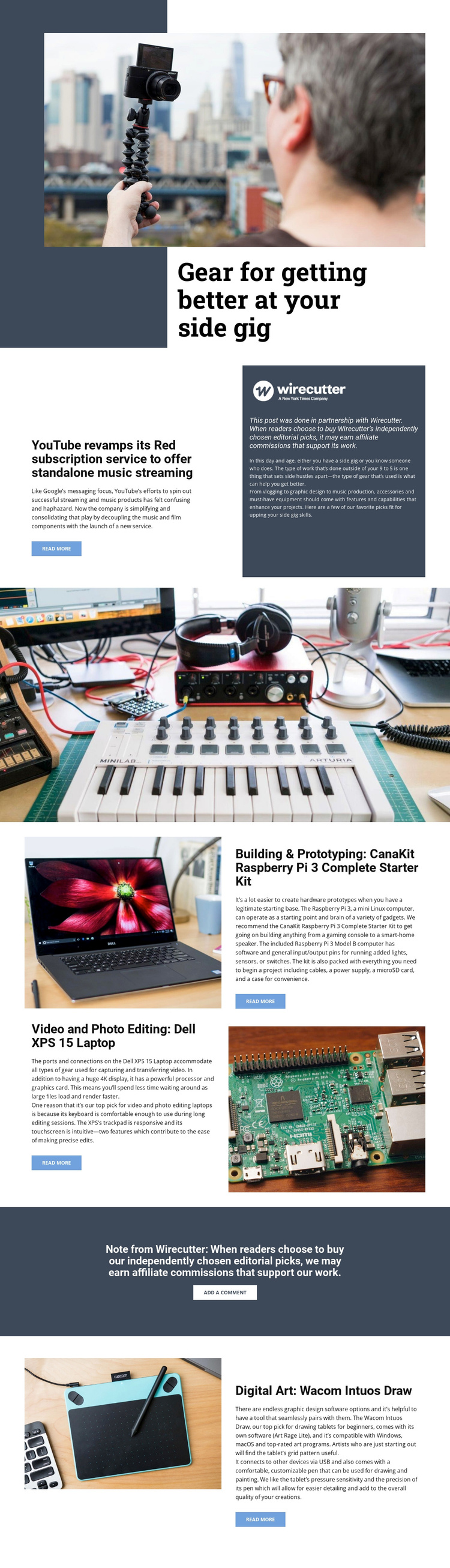
The page separates its subject into several structured information areas that can be maintained as related editorial content. The opening hero introduces gear for a side gig, while the YouTube Red feature provides a distinct article-like area with a headline, introductory text, image, and read-more link. Beside it, the Wirecutter disclosure panel keeps partnership information visibly associated with the feature rather than treating it as unrelated footer text.
The recommendation areas provide a second level of organization. Video and photo editing, building and prototyping, and digital art are presented as different categories, each connected to a named product: the Dell XPS 15 Laptop, CanaKit Raspberry Pi 3 Complete Starter Kit, and Wacom Intuos Draw. The repeated image-and-copy arrangement gives those categories a coordinated presentation while allowing their descriptions to remain separate.
The affiliate callout and add-a-comment action create a dedicated reader-response region, and the recurring read-more links connect individual recommendations to deeper content. In a Joomla project, this division can support a CMS-managed editorial structure with menus, article-like areas, and reusable site regions. The design’s value is not a claim that Joomla content already exists, but that its visible content boundaries provide a logical basis for organizing and maintaining it.
Customize with Nicepage
Open this ready-made template in the Joomla Page Builder and customize it visually in the Nicepage editor. Replace demo content, edit page sections, and adapt the design to your project without rebuilding the template from scratch.
Work With This Template in Joomla
Customize and Install the Joomla Template
Start with this ready-made template instead of building the Joomla design from scratch. Customize its layout, content, typography, images, sections, and other design elements visually in the Nicepage application, then export and install the Joomla Template, Nicepage Extension, and supported content on your Joomla website.
Edit the Template Directly in Joomla
After installation, you can edit the Joomla Template directly in Joomla with the Nicepage Joomla Extension. Customize the Header, Footer, Colors, Fonts, typography, and Page Templates from the Joomla workflow while keeping the site design connected with your CMS content.
Edit Joomla Articles Visually
Use the Nicepage Joomla Extension to open and edit Joomla Articles visually from the Joomla Administrator. Change text, images, sections, layouts, and other page content in the Nicepage editor while continuing to manage the Articles through Joomla.
Joomla Content and Template Integration
Use the customized template together with Joomla Articles, module Positions, menus, forms, Blog Pages, and other supported CMS elements. With the Nicepage Extension used as the Site Style Source, shared design settings can be applied across Joomla Articles while Joomla continues to provide the CMS environment for managing site content.
This workflow combines a ready-made Joomla Template with visual customization, direct template editing in Joomla, and continued content management through the Nicepage Joomla Extension.