Fashion house photography Joomla Template



Edit Template Offline
2. Create new page and search for id 1148077
Edit Template Online
Create Awesome Websites


Free Nicepage Builder
Keywords
Project Labels, Profile Content, and Contact Regions Create a Joomla-Ready Content Structure
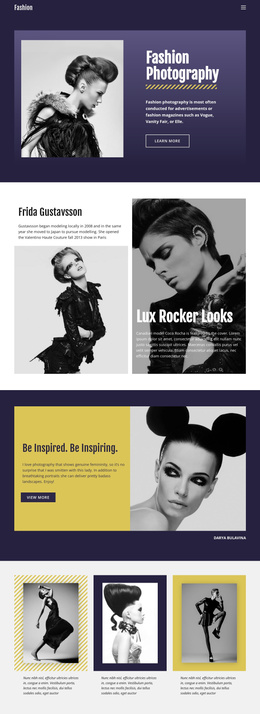
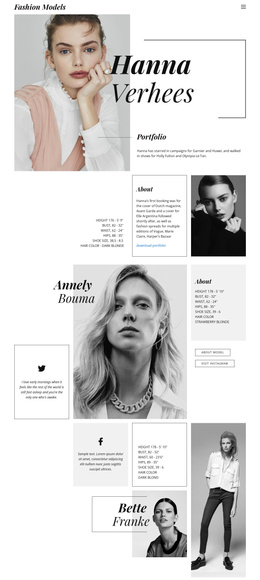
The four-image opening gallery and the later three-image monochrome gallery divide the page into clear visual content regions. Between them, the 2022 “new collaboration” entry, “ms-201” youth brand feature, and “Jewelry House” project section provide distinct areas for structured project information. Each combines imagery with a short title or supporting copy, so the design can separate recurring portfolio content without losing the shared black, white, and deep red visual direction.
The profile area creates another meaningful site region. “About Me” brings together a portrait, signature graphic, and biography-style content, while “What I Do” gives the page a separate place for activity or service information. These regions are useful for a CMS-managed creative site because project descriptions, profile text, and visual presentations have different editorial roles. The compact header, search control, Home link, and dark footer note provide shared navigation and framing around those content areas.
At the end, the portrait-and-form section connects the portfolio to visitor communication. Its email, address, selection, agreement, and submission controls give the contact region a defined purpose without requiring the project areas to carry the same message. In a Joomla implementation, this arrangement can support organized content and navigation around photography projects, profile information, jewelry presentation, and contact material while preserving the page’s editorial composition. The sample identity and biography should remain replaceable content rather than treated as verified business information.
Customize with Nicepage
Open this ready-made template in the Joomla Page Builder and customize it visually in the Nicepage editor. Replace demo content, edit page sections, and adapt the design to your project without rebuilding the template from scratch.
Work With This Template in Joomla
Customize and Install the Joomla Template
Start with this ready-made template instead of building the Joomla design from scratch. Customize its layout, content, typography, images, sections, and other design elements visually in the Nicepage application, then export and install the Joomla Template, Nicepage Extension, and supported content on your Joomla website.
Edit the Template Directly in Joomla
After installation, you can edit the Joomla Template directly in Joomla with the Nicepage Joomla Extension. Customize the Header, Footer, Colors, Fonts, typography, and Page Templates from the Joomla workflow while keeping the site design connected with your CMS content.
Edit Joomla Articles Visually
Use the Nicepage Joomla Extension to open and edit Joomla Articles visually from the Joomla Administrator. Change text, images, sections, layouts, and other page content in the Nicepage editor while continuing to manage the Articles through Joomla.
Joomla Content and Template Integration
Use the customized template together with Joomla Articles, module Positions, menus, forms, Blog Pages, and other supported CMS elements. With the Nicepage Extension used as the Site Style Source, shared design settings can be applied across Joomla Articles while Joomla continues to provide the CMS environment for managing site content.
This workflow combines a ready-made Joomla Template with visual customization, direct template editing in Joomla, and continued content management through the Nicepage Joomla Extension.