Traditional style yoga Joomla Template

Edit Template Offline
2. Create new page and search for id 1144579
Edit Template Online
Create Awesome Websites


Free Nicepage Builder
Keywords
Class Categories and Contact Regions Divide the Content Clearly
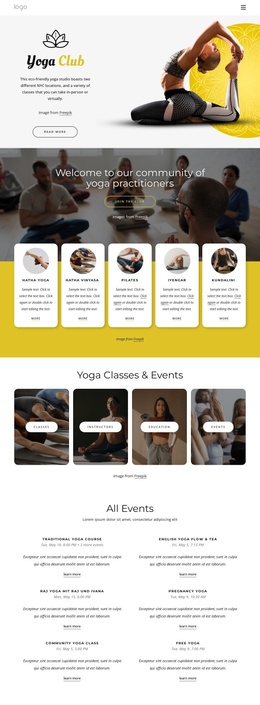
The four class categories give the page a natural set of structured information areas. Hatha Yoga, virtual classes, all classes, and meditation appear as equal image tiles under the Yoga Classes heading, making them easy to interpret as recurring content items rather than isolated decorative images. A Joomla project could retain that visual grouping while organizing the underlying class information through its broader site content structure.
The page also separates educational, team, and engagement content. The opening introduction and alternating benefit panels explain the subject before the class categories appear. The synchronized meditation feature then provides a distinct thematic region, while the About Team section and four master portraits establish people-focused content. These areas can remain visually related through their olive, cream, dark, and yellow treatment without being forced into one long undifferentiated information block.
Navigation and contact content complete the site-oriented interpretation. The page includes navigation, a closing contact form, and social links for Facebook, Twitter, Instagram, and Google. Those shared regions can support movement between related yoga information, class content, and contact destinations in a Joomla site. The design does not claim that Joomla Articles or module positions already exist here; instead, its verified sections show how structured wellness content, repeated class items, people information, and contact engagement could be organized within a CMS-managed Joomla project.
Customize with Nicepage
Open this ready-made template in the Joomla Page Builder and customize it visually in the Nicepage editor. Replace demo content, edit page sections, and adapt the design to your project without rebuilding the template from scratch.
Work With This Template in Joomla
Customize and Install the Joomla Template
Start with this ready-made template instead of building the Joomla design from scratch. Customize its layout, content, typography, images, sections, and other design elements visually in the Nicepage application, then export and install the Joomla Template, Nicepage Extension, and supported content on your Joomla website.
Edit the Template Directly in Joomla
After installation, you can edit the Joomla Template directly in Joomla with the Nicepage Joomla Extension. Customize the Header, Footer, Colors, Fonts, typography, and Page Templates from the Joomla workflow while keeping the site design connected with your CMS content.
Edit Joomla Articles Visually
Use the Nicepage Joomla Extension to open and edit Joomla Articles visually from the Joomla Administrator. Change text, images, sections, layouts, and other page content in the Nicepage editor while continuing to manage the Articles through Joomla.
Joomla Content and Template Integration
Use the customized template together with Joomla Articles, module Positions, menus, forms, Blog Pages, and other supported CMS elements. With the Nicepage Extension used as the Site Style Source, shared design settings can be applied across Joomla Articles while Joomla continues to provide the CMS environment for managing site content.
This workflow combines a ready-made Joomla Template with visual customization, direct template editing in Joomla, and continued content management through the Nicepage Joomla Extension.