Customer Testimonials Joomla Template


Two Attributed Testimonial Units Create a Structured Content Region
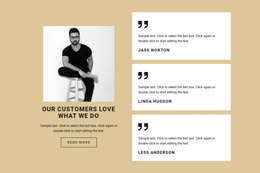
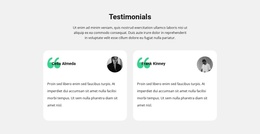
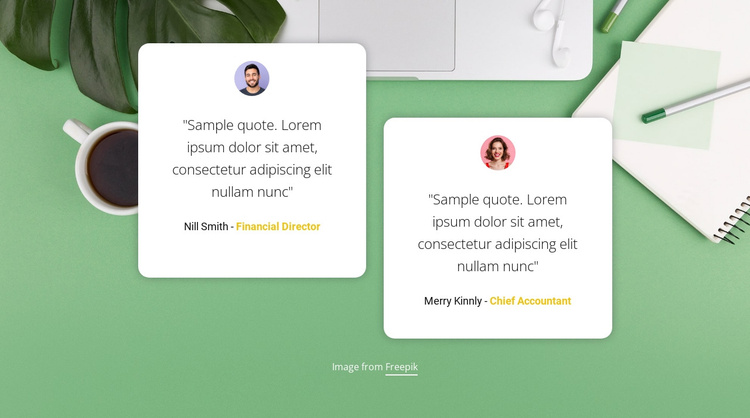
The repeated card pattern gives this section a clear content model for a Joomla-managed page. One white rounded panel carries one portrait, quote, name, and role label; the second panel repeats that relationship as a separate customer statement. The cards are offset horizontally and vertically, which keeps the two items visually distinct while allowing them to work as one testimonial region. Readers can compare the statements without moving through an interactive control.
The photographic background supplies a common setting for the region, with a green desk-themed image extending behind both cards. White card surfaces isolate the content from the image, centered dark text keeps the quotations visually calm, and yellow accents identify the role labels as supporting attribution. The absence of a heading makes the two cards themselves responsible for introducing the proof content.
In a Joomla-oriented project, this block can occupy a stable content area for structured testimonial information while the wider site manages its surrounding articles, pages, and navigation. The section does not need to become a complete Joomla template to perform that role. Its fixed two-item organization is especially suitable when a page needs a concise testimonial region with visible portraits and attribution. Replace the sample names, roles, and quotes with appropriate project content before publishing.
Customize with Nicepage
Open this ready-made template in the Joomla Page Builder and customize it visually in the Nicepage editor. Replace demo content, edit page sections, and adapt the design to your project without rebuilding the template from scratch.
Edit Template Offline
2. Create a new page or select existing
3. Click Add new block, search for id 107016 and click enter
Edit Template Online
Create Awesome Websites


Free Nicepage Builder
Keywords
Work With This Template in Joomla
Customize and Install the Joomla Template
Start with this ready-made template instead of building the Joomla design from scratch. Customize its layout, content, typography, images, sections, and other design elements visually in the Nicepage application, then export and install the Joomla Template, Nicepage Extension, and supported content on your Joomla website.
Edit the Template Directly in Joomla
After installation, you can edit the Joomla Template directly in Joomla with the Nicepage Joomla Extension. Customize the Header, Footer, Colors, Fonts, typography, and Page Templates from the Joomla workflow while keeping the site design connected with your CMS content.
Edit Joomla Articles Visually
Use the Nicepage Joomla Extension to open and edit Joomla Articles visually from the Joomla Administrator. Change text, images, sections, layouts, and other page content in the Nicepage editor while continuing to manage the Articles through Joomla.
Joomla Content and Template Integration
Use the customized template together with Joomla Articles, module Positions, menus, forms, Blog Pages, and other supported CMS elements. With the Nicepage Extension used as the Site Style Source, shared design settings can be applied across Joomla Articles while Joomla continues to provide the CMS environment for managing site content.
This workflow combines a ready-made Joomla Template with visual customization, direct template editing in Joomla, and continued content management through the Nicepage Joomla Extension.