Modern Bus Rental Html Code Example


Edit Template Offline
2. Create new page and search for id 6651670
Edit Template Online
Create Awesome Websites


Free Nicepage Builder
Keywords
The Booking Panel and Fleet Catalog Create Practical Extension Points
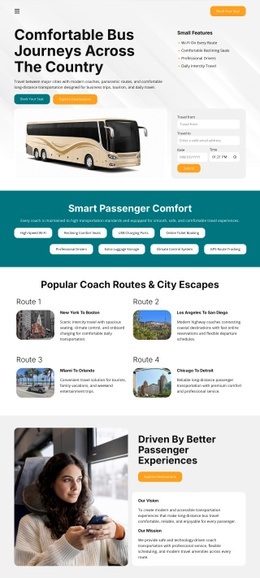
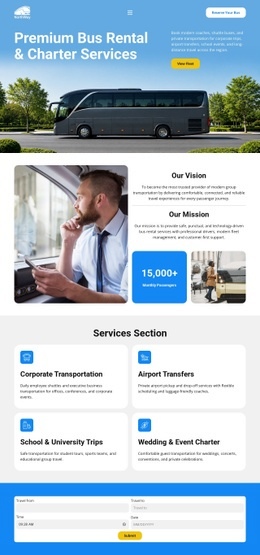
The compact trip-planning panel is the clearest place for project-specific functionality because it already sits between the service explanation and the fleet presentation. Its booking fields and Search button suggest a defined interaction zone where a project could connect an external reservation, availability, or quotation component if the standard content does not cover the required process. The surrounding blue band gives that addition a visually bounded location rather than leaving it detached from the page story.
The six-card fleet catalog provides another logical integration area. Each named option—such as Executive Coach, School Route Bus, Metro Shuttle, and Voyager Elite—already establishes repeated vehicle content, so a custom extension could add external availability data, detailed specifications, or another fleet-related interaction beside the existing catalog logic. The View Fleet, Request Your Quote, and Get A Free Quote actions also create identifiable destinations for project-specific links or tracking. The contact footer offers a final integration point around the displayed address, phone, email, and quote action. These observations describe places where custom functionality could complement the existing design; they do not imply that custom code is already present. The page can retain its visual sequence while additional markup, widgets, or services are introduced only where their purpose matches the surrounding content.
Customize with Nicepage
Open this ready-made template in the HTML Code Generator and customize it visually in the Nicepage editor. Replace demo content, edit page sections, and adapt the design to your project without rebuilding the template from scratch.
Extend This Page With Custom HTML Code
Insert Code With the HTML Element
Use the HTML Element to add custom code directly to a Block in the Nicepage editor. Enter the required markup in the Code field when the page needs content or functionality that is not available through the standard page elements.
Place the HTML Element in the Layout
Treat the HTML Element as part of the visual page composition. Adjust its position, width, height, alignment, and margins to place the custom content where it belongs alongside text, images, buttons, and other elements. This makes it possible to combine visually edited sections with project-specific code without separating the custom element from the rest of the layout.
Add HTML, CSS, JavaScript, and External Components
The HTML Element supports HTML, CSS, and JavaScript, allowing you to extend the page with custom markup and interactive functionality. It can also be used to embed custom code and third-party components, such as social feeds, advertising code, widgets, or other external functionality required by the project.
This workflow makes the template useful for projects that need a visual page editor together with custom HTML code, JavaScript, embedded components, and functionality beyond the standard page elements.

More from Cars & Transportation Html Code Examples
-
Customize Any TemplateDownload