Car Dealership Inventory Html Code Example



Edit Template Offline
2. Create new page and search for id 6644097
Edit Template Online
Create Awesome Websites


Free Nicepage Builder
Keywords
Inventory and Booking Sections Leave Focused Extension Points
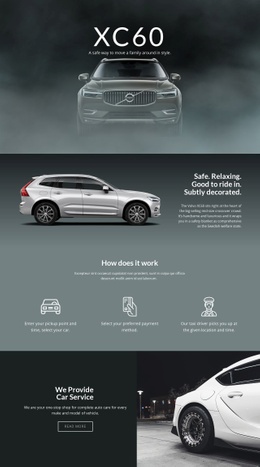
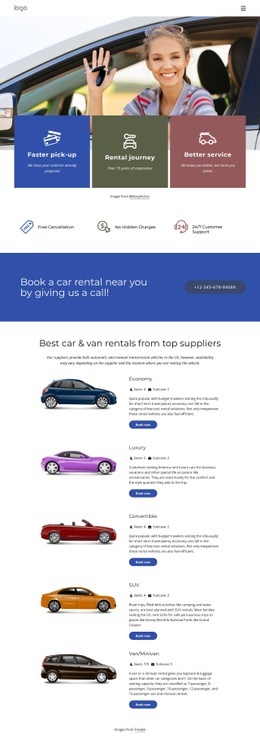
The inventory search panel sits directly below the promotional hero, making it a natural content zone for a project-specific vehicle search, stock feed, or other inventory-related component if the standard controls do not cover the required behavior. The four vehicle cards provide a second clear boundary: their image, model, price, and specification arrangement can remain visually consistent while an external availability indicator or another listing-related element is introduced beside the existing content.
The service feature row offers a different kind of extension point. Financing, trade-ins, warranty packages, and vehicle sourcing are presented as four related but separate items, so an additional eligibility tool, comparison widget, or informational component could be associated with the relevant service rather than placed arbitrarily in the hero. This preserves the relationship between the visitor's question and the added functionality.
The blue closing band is especially significant because it already contains booking and offer actions. If the project needs an appointment system, qualification step, or external inquiry component, that functionality can be positioned around the existing response area without rebuilding the page's visual sequence. Nicepage's HTML Element is a possible bridge for custom markup or third-party functionality, but the verified design itself should remain the organizing framework rather than being treated as a blank code canvas.
Customize with Nicepage
Open this ready-made template in the HTML Code Generator and customize it visually in the Nicepage editor. Replace demo content, edit page sections, and adapt the design to your project without rebuilding the template from scratch.
Extend This Page With Custom HTML Code
Insert Code With the HTML Element
Use the HTML Element to add custom code directly to a Block in the Nicepage editor. Enter the required markup in the Code field when the page needs content or functionality that is not available through the standard page elements.
Place the HTML Element in the Layout
Treat the HTML Element as part of the visual page composition. Adjust its position, width, height, alignment, and margins to place the custom content where it belongs alongside text, images, buttons, and other elements. This makes it possible to combine visually edited sections with project-specific code without separating the custom element from the rest of the layout.
Add HTML, CSS, JavaScript, and External Components
The HTML Element supports HTML, CSS, and JavaScript, allowing you to extend the page with custom markup and interactive functionality. It can also be used to embed custom code and third-party components, such as social feeds, advertising code, widgets, or other external functionality required by the project.
This workflow makes the template useful for projects that need a visual page editor together with custom HTML code, JavaScript, embedded components, and functionality beyond the standard page elements.

More from Cars & Transportation Html Code Examples
-
Customize Any TemplateDownload