
Comment soumettre un formulaire de contact à Google Sheets
How to Submit A Contact Form To Google Sheets
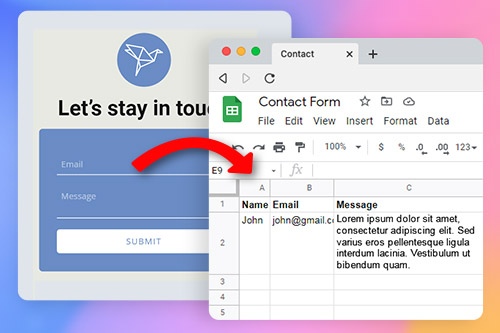
Using our builder, you can connect a contact form to Google sheets and WordPress contact form 7 of your website. To connect your contact forms with google, select it, go to the property panel, and click on google spreadsheet options. Then go to google drive and get an integration Google access code. When you enter the Google account, click get an access code copy. Copy it and return to google spreadsheet options to enter the Google access code to connect contact form elements with Google sheets to transfer data into Google sheets. When you connect contact form 7 plugin options with the cf7 Google sheet, it will form your new google sheet, where the information from contact forms will be stored.
Sending contact form 7 form and will create cf7 Google sheets connector that will connect contact form data and Google sheet and provide column names for the sheet. The user provides his email address and other necessary information. Upon form submission, this data and the email address will be published in one column, and the next column will contain the information he provided. Using the Google drive, create the tab with column names to navigate through form data and complete a new Form 7 with Google filters. Using the cf7 Google sheet connector pro version will improve how Google sheet connector will set up contact form 7 data.
Integrate contact form plugin functions to connect the Google sheet on the drive and create a new form sheet with better Google sheet connector plugins. Install contact form 7, which is contact form 7 Google optimized and will connect with Google sheets where the contact form is submitted. Connect with Google sheet the form 7 with Google sheets preferences and set up form 7 with Google as best as possible so when the form is submitted, the contact form 7 Google plugins will analyze it with ease.