Innovationstechnologie Vorlage


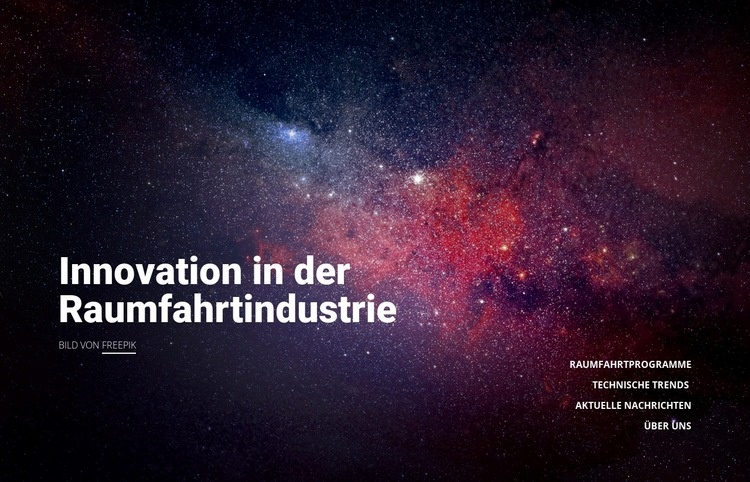
Ein ausdrucksstarkes Weltraumbild kombiniert mit vier fokussierten Themen
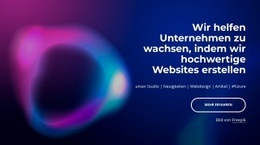
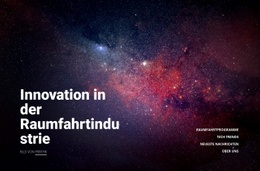
Das ganzflächige Weltraumbild verleiht diesem Design eine stärkere visuelle Präsenz als eine reine Texteinführung, während die Überschrift „Innovation in der Raumfahrtindustrie“ das Thema unmissverständlich benennt. Die größte Besonderheit liegt im Kontrast zwischen der großen Aussage auf der linken Seite und der kompakten, rechtsbündigen Aufzählung aus Raumfahrtprogramme, Tech-Trends, Neueste Nachrichten und Über uns. Der Bildnachweis „Bild von Freepik“ bleibt nahe der Überschrift gut sichtbar, ohne die Kernbotschaft zu stören.
Dieses Layout eignet sich hervorragend für Seiten, die ein übergeordnetes Raumfahrt- oder Technologiethema vorstellen und gleichzeitig auf mehrere Teilbereiche verweisen möchten. Statt dicht gedrängter Kacheln oder eines langen Fließtexts setzt der Block auf ein atmosphärisches Bild, eine dominante Kernaussage und vier präzise Labels. Der großzügige horizontale Abstand bewahrt die redaktionelle Balance: Das Bild erzeugt Stimmung, während der Text für Orientierung sorgt.
Unter den vorgefertigten Sektionsoptionen empfiehlt sich dieser Entwurf für Projekte, die einen visuell wirkungsvollen Auftakt mit einem zurückhaltenden Informationsgerüst verbinden möchten. Er lässt sich ideal im Kontext von Raumfahrt, Luft- und Raumfahrttechnik, Astronomie oder verwandten Technologien einsetzen, sofern der begleitende Inhalt diese Themen aufgreift. Der Block bleibt ein eigenständiges Hero-Design: Sein Wert liegt im Zusammenspiel aus Bildsprache, Überschriftengröße, Links-Rechts-Aufbau und thematischer Abdeckung – ohne den Anspruch, bereits die gesamte restliche Seite abzubilden.
Mit Nicepage anpassen
Wenn Sie Template Builder verwenden, können Sie Farben, Schriftarten, Kopf- und Fußzeilen, Layout, Spalten und andere Designelemente sowie Inhalte und Bilder anpassen.
Vorlage offline bearbeiten
2. Erstellen Sie eine neue Seite oder wählen Sie eine vorhandene aus
3. Klicken Sie auf Neuen Block hinzufügen, suchen Sie nach der ID 108315 und klicken Sie auf die Eingabetaste
Vorlage online bearbeiten
Erstellen Sie fantastische Websites


Kostenloser Nicepage Builder
Schlüsselwörter
Mit einer fertigen Vorlage beginnen
Design für eine neue Seite auswählen
Verwenden Sie eine fertige Vorlage als Ausgangspunkt, anstatt jede Seite von Grund auf neu zu erstellen. Wenn Sie in Nicepage eine neue Seite hinzufügen, durchsuchen Sie die verfügbaren Designs, vergleichen Sie verschiedene Layouts und wählen Sie eine Option, die bereits zum allgemeinen Zweck und zur visuellen Ausrichtung Ihres Projekts passt.
Verschiedene Seitendesigns durchsuchen
Erkunden Sie Seitendesigns mithilfe der Suche, thematischer Kategorien, Designsets und der Vorschau der gesamten Seite. Die Sammlung enthält Layouts für verschiedene Themen und Seitenzwecke, sodass Sie Alternativen leichter vergleichen können, bevor Sie ein Design zur Anpassung auswählen.
Ausgewählte Vorlage anpassen
Nachdem Sie ein Design ausgewählt haben, erstellen Sie die Seite und bearbeiten Sie sie anschließend visuell in Nicepage. Ersetzen Sie den Demoinhalt, passen Sie Bilder, Typografie, Farben, Abschnitte und andere Elemente an und passen Sie das fertige Layout an Ihre eigenen Inhalte an, anstatt das Design von Grund auf neu zu erstellen.
Weitere Designrichtungen entdecken
Wenn die erste Option nicht optimal zu Ihrem Projekt passt, kehren Sie zur Designsammlung zurück und vergleichen Sie weitere Vorlagen, bevor Sie sich für ein Layout entscheiden. So ist die Vorlagenbibliothek nicht nur für eine schnellere Seitenerstellung nützlich, sondern auch, um verschiedene visuelle Ansätze zu erkunden und einen passenden Ausgangspunkt für ein neues Projekt zu finden.
Dieser Workflow bietet Ihnen Zugriff auf eine umfangreiche Sammlung vorgefertigter Designs, die Sie auswählen, vergleichen und an die Bedürfnisse jeder neuen Seite oder jedes Projekts anpassen können.



Mehr von Technologie Blöcken
-
EN
-

-
EN
-
EN
-
EN
-
EN
-
EN
-
EN
-
EN
-
EN
-
-
EN
-
EN
-
EN
-
EN
-
EN
-
EN
-
-
EN
-
EN





Mehr von Text auf Bild Blöcken
-
EN
-
EN
-
-
EN
-
-
EN
-
-
-
EN
-
EN
-
-
-
EN
-
EN
-
EN
-
EN
-
-
-
-