Your stylist WordPress Theme


Long-Form Profile Content With a Clear WordPress Page Role
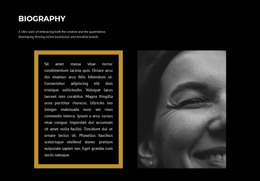
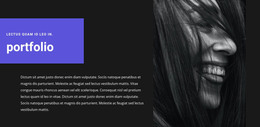
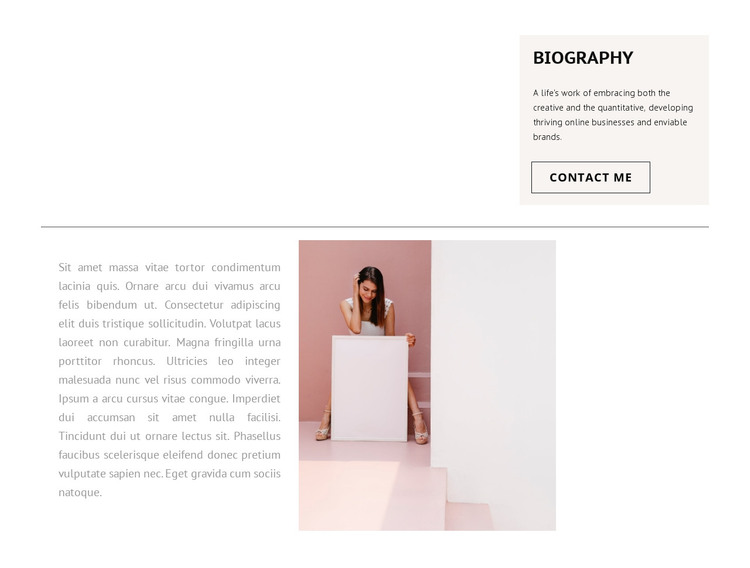
The block’s long paragraph is the primary content area, making the section well suited to permanent biography information rather than a changing list of entries. It occupies the left side of the lower row so the narrative can be read continuously, while the portrait on the right gives the text a personal visual counterpart. The upper card adds a concise “Biography” label and introductory context before the longer passage, and its “Contact Me” button creates a practical next step for visitors interested in the person presented.
The horizontal divider is an important organizing detail. It separates the compact introduction from the fuller profile without adding another heading to the lower region. This creates a simple hierarchy that can remain understandable when the block is placed among other page sections. The static layout also keeps the biography immediately visible instead of hiding it behind tabs, accordions, or carousel controls.
In a WordPress-managed project, this section can function as stable page content for an About or personal profile area while the broader site handles additional pages and publishing needs. The distinction is useful when the person’s story should remain visually consistent as the surrounding site develops. Nicepage’s WordPress-oriented workflow supports designed page content within the wider theme and CMS context, while this reusable block retains its own biography structure: introduction above, divider in the middle, and narrative beside portrait below.
Customize with Nicepage
Open this ready-made template in the WordPress Website Builder and customize it visually in the Nicepage editor. Replace demo content, edit page sections, and adapt the design to your project without rebuilding the template from scratch.
Edit Template Offline
2. Create a new page or select existing
3. Click Add new block, search for id 781805 and click enter
Edit Template Online
Create Awesome Websites


Free Nicepage Builder
Keywords
Manage and Edit This Theme in WordPress
Customize and Install the WordPress Theme
Start with this ready-made theme instead of building the WordPress design from scratch. Customize its layout, content, typography, images, sections, and other design elements visually in Nicepage editor, then export and install the WordPress Theme, Plugin, and Pages on your WordPress site. The Nicepage WordPress Plugin lets you continue working with the site after installation.
Edit the Theme Directly in WordPress
After installation, you can edit the WordPress Theme directly in WordPress with the Nicepage WordPress Plugin. Use Site Style to customize site Colors, Fonts, Header, Footer, Blog, and Post Page Templates while working within your WordPress website.
Edit WordPress Pages Visually
Use the Nicepage WordPress Plugin to edit page content directly from the WordPress admin area. Open a WordPress Page with Nicepage and visually change its text, images, sections, and other page elements while continuing to manage the Page through WordPress.
WordPress Content and Theme Integration
Use the customized theme with WordPress Pages, Posts, Blog and Post Templates, menus, widgets, and other CMS-managed content. Shared theme elements such as Colors, Fonts, Header, Footer, Blog, and Post Page Templates can be managed as part of the overall site design, while WordPress provides the CMS environment for managing site content.
This workflow combines a ready-made WordPress Theme with visual customization, direct theme editing in WordPress, and continued content management through the Nicepage WordPress Plugin.