Sport surf camp WordPress Theme


The Center Panel Turns Coastal Imagery Into Stable Page Content
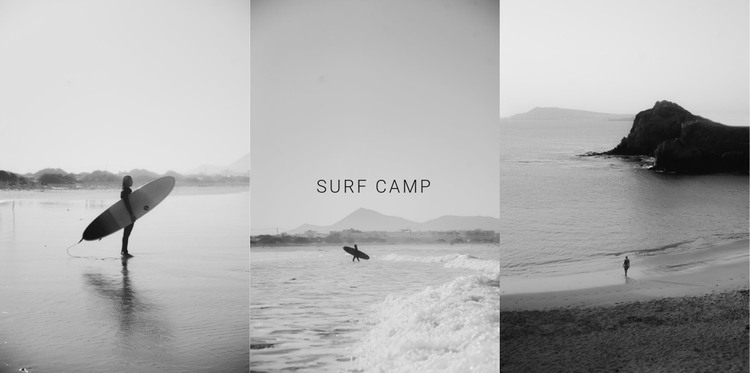
The block’s three equal-width image panels create a stable visual content area that can sit naturally within a WordPress-managed page. Surfing, ocean water, and coastal shoreline photography supply the subject, while the centered “surf camp” heading gives the section a direct label. The middle panel carries the strongest editorial responsibility: its centered alignment and light translucent backing distinguish the heading from the surrounding monochrome image without removing the visual connection to the sea.
This structure suits permanent page content that introduces a topic before visitors reach more detailed material. A broader WordPress project could place descriptive copy, activity information, schedules, or other page sections around it, while this block remains responsible for the first visual statement. The equal panel widths also make the section reusable when the page needs an identifiable introduction without a large text-heavy hero arrangement. Since the interaction is static, the three images are presented together rather than being revealed through a slider or carousel. That gives the content area a consistent appearance and makes the relationship between the coastal setting, the central heading, and the surrounding page flow easy to maintain.
Customize with Nicepage
Open this ready-made template in the WordPress Website Builder and customize it visually in the Nicepage editor. Replace demo content, edit page sections, and adapt the design to your project without rebuilding the template from scratch.
Edit Template Offline
2. Create a new page or select existing
3. Click Add new block, search for id 68839 and click enter
Edit Template Online
Create Awesome Websites


Free Nicepage Builder
Keywords
Manage and Edit This Theme in WordPress
Customize and Install the WordPress Theme
Start with this ready-made theme instead of building the WordPress design from scratch. Customize its layout, content, typography, images, sections, and other design elements visually in Nicepage editor, then export and install the WordPress Theme, Plugin, and Pages on your WordPress site. The Nicepage WordPress Plugin lets you continue working with the site after installation.
Edit the Theme Directly in WordPress
After installation, you can edit the WordPress Theme directly in WordPress with the Nicepage WordPress Plugin. Use Site Style to customize site Colors, Fonts, Header, Footer, Blog, and Post Page Templates while working within your WordPress website.
Edit WordPress Pages Visually
Use the Nicepage WordPress Plugin to edit page content directly from the WordPress admin area. Open a WordPress Page with Nicepage and visually change its text, images, sections, and other page elements while continuing to manage the Page through WordPress.
WordPress Content and Theme Integration
Use the customized theme with WordPress Pages, Posts, Blog and Post Templates, menus, widgets, and other CMS-managed content. Shared theme elements such as Colors, Fonts, Header, Footer, Blog, and Post Page Templates can be managed as part of the overall site design, while WordPress provides the CMS environment for managing site content.
This workflow combines a ready-made WordPress Theme with visual customization, direct theme editing in WordPress, and continued content management through the Nicepage WordPress Plugin.