Our work transforms businesses WordPress Theme


Stable feature content organized for a WordPress-managed page
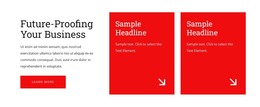
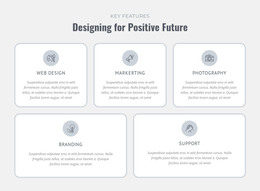
The heading “Our work transforms businesses” frames the block as a concise explanation of capabilities, while the “Key Features” label identifies the content group. Beneath it, three repeated cards turn the message into separate information units. Web Design and Marketing are visible examples, and each item combines a circular icon area, a title, and a descriptive paragraph so the content can be read as a set of related page features rather than one uninterrupted statement.
For a WordPress-oriented project, this structure suits permanent page content that explains services or capabilities. The block can remain a visually consistent section on a services, about, or business-information page while other CMS-managed content handles additional site needs. Its three-column arrangement gives editors a defined place for a small group of related entries, and the shared card pattern helps preserve consistency when the wording or imagery is updated.
The white rounded cards contrast with the dark charcoal section field, making the feature group easy to distinguish from neighboring page content. The descriptive paragraphs are placeholder-style material, so they can be replaced with finalized copy without changing the established hierarchy. The result is a publishable content area that fits a broader WordPress theme context while remaining one reusable section, not a standalone theme.
Customize with Nicepage
Open this ready-made template in the WordPress Website Builder and customize it visually in the Nicepage editor. Replace demo content, edit page sections, and adapt the design to your project without rebuilding the template from scratch.
Edit Template Offline
2. Create a new page or select existing
3. Click Add new block, search for id 67521 and click enter
Edit Template Online
Create Awesome Websites


Free Nicepage Builder
Keywords
Manage and Edit This Theme in WordPress
Customize and Install the WordPress Theme
Start with this ready-made theme instead of building the WordPress design from scratch. Customize its layout, content, typography, images, sections, and other design elements visually in Nicepage editor, then export and install the WordPress Theme, Plugin, and Pages on your WordPress site. The Nicepage WordPress Plugin lets you continue working with the site after installation.
Edit the Theme Directly in WordPress
After installation, you can edit the WordPress Theme directly in WordPress with the Nicepage WordPress Plugin. Use Site Style to customize site Colors, Fonts, Header, Footer, Blog, and Post Page Templates while working within your WordPress website.
Edit WordPress Pages Visually
Use the Nicepage WordPress Plugin to edit page content directly from the WordPress admin area. Open a WordPress Page with Nicepage and visually change its text, images, sections, and other page elements while continuing to manage the Page through WordPress.
WordPress Content and Theme Integration
Use the customized theme with WordPress Pages, Posts, Blog and Post Templates, menus, widgets, and other CMS-managed content. Shared theme elements such as Colors, Fonts, Header, Footer, Blog, and Post Page Templates can be managed as part of the overall site design, while WordPress provides the CMS environment for managing site content.
This workflow combines a ready-made WordPress Theme with visual customization, direct theme editing in WordPress, and continued content management through the Nicepage WordPress Plugin.