Reviews about our work WordPress Theme


Skincare Offerings Become Stable Page Content Beside a Portrait
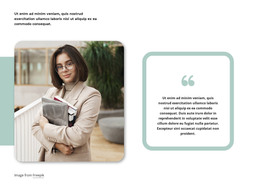
The left-side portrait gives the section an immediate human focus, while the right-aligned text turns that visual attention into a concise skincare message. The heading “testimonials” introduces the block, but the supporting content is more specifically organized around expert estheticians, a professional skin care line, and facials for every skin type. The orange “read more” button then provides a direct route to additional information without making the section carry the entire page journey.
For a WordPress-managed page, this arrangement can work as stable service or promotional content within a broader site. The content is compact enough to remain recognizable as one reusable section, and its image-to-text split gives it a clear visual boundary when placed among other page sections. White uppercase typography and the light gray textured treatment keep the message distinct from the portrait while preserving the strong horizontal contrast. Since the interaction is static, the block communicates through hierarchy, imagery, and the single action rather than dynamic content. WordPress can manage the surrounding page and broader editorial content, while this section retains its focused skincare role.
Customize with Nicepage
Open this ready-made template in the WordPress Website Builder and customize it visually in the Nicepage editor. Replace demo content, edit page sections, and adapt the design to your project without rebuilding the template from scratch.
Edit Template Offline
2. Create a new page or select existing
3. Click Add new block, search for id 67239 and click enter
Edit Template Online
Create Awesome Websites


Free Nicepage Builder
Keywords
Manage and Edit This Theme in WordPress
Customize and Install the WordPress Theme
Start with this ready-made theme instead of building the WordPress design from scratch. Customize its layout, content, typography, images, sections, and other design elements visually in Nicepage editor, then export and install the WordPress Theme, Plugin, and Pages on your WordPress site. The Nicepage WordPress Plugin lets you continue working with the site after installation.
Edit the Theme Directly in WordPress
After installation, you can edit the WordPress Theme directly in WordPress with the Nicepage WordPress Plugin. Use Site Style to customize site Colors, Fonts, Header, Footer, Blog, and Post Page Templates while working within your WordPress website.
Edit WordPress Pages Visually
Use the Nicepage WordPress Plugin to edit page content directly from the WordPress admin area. Open a WordPress Page with Nicepage and visually change its text, images, sections, and other page elements while continuing to manage the Page through WordPress.
WordPress Content and Theme Integration
Use the customized theme with WordPress Pages, Posts, Blog and Post Templates, menus, widgets, and other CMS-managed content. Shared theme elements such as Colors, Fonts, Header, Footer, Blog, and Post Page Templates can be managed as part of the overall site design, while WordPress provides the CMS environment for managing site content.
This workflow combines a ready-made WordPress Theme with visual customization, direct theme editing in WordPress, and continued content management through the Nicepage WordPress Plugin.