Positive customer feedbacks WordPress Theme



Stable Testimonial Content With a Rotating Presentation
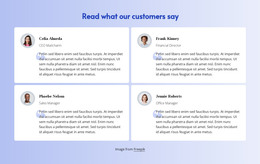
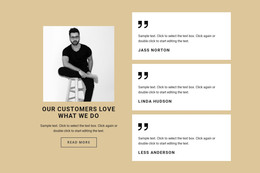
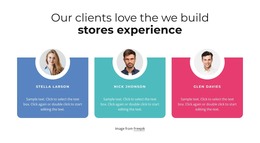
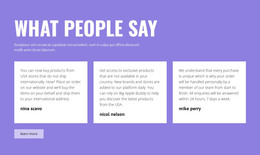
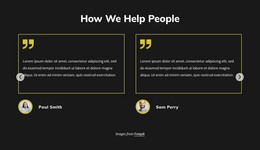
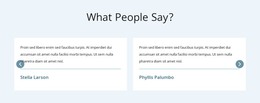
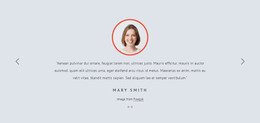
The two slides can be understood as a publishable testimonial section rather than as a collection of unrelated promotional elements. Each content unit has a consistent pattern: the portrait identifies the speaker visually, the attribution and role provide context, the quote carries the personal perspective, and the Read more button offers a continuation. The previous and next controls and two indicators make the second unit available without displaying both statements at the same time.
In a WordPress-managed page, this block can serve as a stable proof area inside the wider theme and content environment. The light gray background and monochrome visual language give the section a recognizable presentation, while the left portrait and right text column keep the content easy to scan. A project may maintain the testimonial wording and speaker details as page content, but the block itself does not require a particular Posts, category, or widget structure to perform its role. Its practical contribution is a reusable page section with a clear content model and confirmed carousel behavior. Other WordPress-managed areas can surround it, while this block preserves the relationship between each portrait, quote, attribution, and Read more action.
Customize with Nicepage
Open this ready-made template in the WordPress Website Builder and customize it visually in the Nicepage editor. Replace demo content, edit page sections, and adapt the design to your project without rebuilding the template from scratch.
Edit Template Offline
2. Create a new page or select existing
3. Click Add new block, search for id 104963 and click enter
Edit Template Online
Create Awesome Websites


Free Nicepage Builder
Keywords
Manage and Edit This Theme in WordPress
Customize and Install the WordPress Theme
Start with this ready-made theme instead of building the WordPress design from scratch. Customize its layout, content, typography, images, sections, and other design elements visually in Nicepage editor, then export and install the WordPress Theme, Plugin, and Pages on your WordPress site. The Nicepage WordPress Plugin lets you continue working with the site after installation.
Edit the Theme Directly in WordPress
After installation, you can edit the WordPress Theme directly in WordPress with the Nicepage WordPress Plugin. Use Site Style to customize site Colors, Fonts, Header, Footer, Blog, and Post Page Templates while working within your WordPress website.
Edit WordPress Pages Visually
Use the Nicepage WordPress Plugin to edit page content directly from the WordPress admin area. Open a WordPress Page with Nicepage and visually change its text, images, sections, and other page elements while continuing to manage the Page through WordPress.
WordPress Content and Theme Integration
Use the customized theme with WordPress Pages, Posts, Blog and Post Templates, menus, widgets, and other CMS-managed content. Shared theme elements such as Colors, Fonts, Header, Footer, Blog, and Post Page Templates can be managed as part of the overall site design, while WordPress provides the CMS environment for managing site content.
This workflow combines a ready-made WordPress Theme with visual customization, direct theme editing in WordPress, and continued content management through the Nicepage WordPress Plugin.