Colored heading and button WordPress Theme



Permanent Page Content Built Around a Contact Prompt
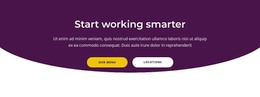
The heading “Where do you want to go?” reads as stable page content rather than a stream of time-sensitive entries. Below it, the single yellow “contact us” button gives that question a corresponding action, creating a compact content region that can fit naturally within a WordPress-managed page. The section’s purpose is clear without relying on posts, categories, cards, or a separate content feed: one question leads to one contact destination.
The visual hierarchy reinforces the same interpretation. A purple background establishes the block as a distinct area, white uppercase typography keeps the two-line message prominent, and the yellow button separates the action from the surrounding color field. Centered alignment and compact spacing keep the region focused, while the static interaction means its content order remains visible at once. These characteristics allow the section to preserve its identity even when adjacent page content is updated through the wider CMS environment.
Within a WordPress-oriented project, this block can provide a stable contact invitation on a page that also contains other managed content. It might follow explanatory or service information, leaving the surrounding project to handle broader navigation and additional page roles. The section itself remains a reusable content area with one heading and one button, not a standalone theme. Its value lies in giving a page a concise, visually distinct point at which visitors can move toward contact.
Customize with Nicepage
Open this ready-made template in the WordPress Website Builder and customize it visually in the Nicepage editor. Replace demo content, edit page sections, and adapt the design to your project without rebuilding the template from scratch.
Edit Template Offline
2. Create a new page or select existing
3. Click Add new block, search for id 54914 and click enter
Edit Template Online
Create Awesome Websites


Free Nicepage Builder
Keywords
Manage and Edit This Theme in WordPress
Customize and Install the WordPress Theme
Start with this ready-made theme instead of building the WordPress design from scratch. Customize its layout, content, typography, images, sections, and other design elements visually in Nicepage editor, then export and install the WordPress Theme, Plugin, and Pages on your WordPress site. The Nicepage WordPress Plugin lets you continue working with the site after installation.
Edit the Theme Directly in WordPress
After installation, you can edit the WordPress Theme directly in WordPress with the Nicepage WordPress Plugin. Use Site Style to customize site Colors, Fonts, Header, Footer, Blog, and Post Page Templates while working within your WordPress website.
Edit WordPress Pages Visually
Use the Nicepage WordPress Plugin to edit page content directly from the WordPress admin area. Open a WordPress Page with Nicepage and visually change its text, images, sections, and other page elements while continuing to manage the Page through WordPress.
WordPress Content and Theme Integration
Use the customized theme with WordPress Pages, Posts, Blog and Post Templates, menus, widgets, and other CMS-managed content. Shared theme elements such as Colors, Fonts, Header, Footer, Blog, and Post Page Templates can be managed as part of the overall site design, while WordPress provides the CMS environment for managing site content.
This workflow combines a ready-made WordPress Theme with visual customization, direct theme editing in WordPress, and continued content management through the Nicepage WordPress Plugin.