Private Office WordPress Theme


A Stable Workspace Offer for WordPress Page Content
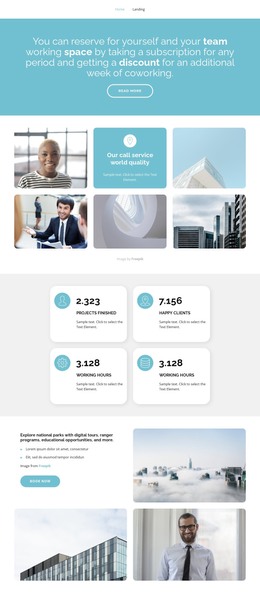
The centered heading reads as durable page content rather than a time-sensitive stream of updates. It presents a coworking proposition for an individual or team, explains that a subscription can cover any period, and mentions an additional week of coworking as a discount. That combination gives a WordPress-managed page a defined workspace offer section without requiring the block to represent an entire theme or site structure.
The Read more button adds a clear continuation point beneath the message. Its label remains broad, so the surrounding page can determine whether it leads to fuller subscription information, reservation details, or another related destination. The block itself stays focused on presenting the offer and inviting further reading rather than containing a confirmed booking or subscription form.
The visual treatment supports this page-content role. A solid blue-violet background separates the section from neighboring material, while white typography and bold emphasis keep the long promotional statement legible. Generous vertical spacing creates a distinct content boundary, and the outlined rounded button establishes a consistent local action style. In a WordPress-oriented project, this reusable section can sit within a services or workspace page while other CMS-managed content handles navigation, articles, team information, or contact details. The section’s content and appearance remain one focused page area that can be edited alongside the broader site.
Customize with Nicepage
Open this ready-made template in the WordPress Website Builder and customize it visually in the Nicepage editor. Replace demo content, edit page sections, and adapt the design to your project without rebuilding the template from scratch.
Edit Template Offline
2. Create a new page or select existing
3. Click Add new block, search for id 4017081 and click enter
Edit Template Online
Create Awesome Websites


Free Nicepage Builder
Keywords
Manage and Edit This Theme in WordPress
Customize and Install the WordPress Theme
Start with this ready-made theme instead of building the WordPress design from scratch. Customize its layout, content, typography, images, sections, and other design elements visually in Nicepage editor, then export and install the WordPress Theme, Plugin, and Pages on your WordPress site. The Nicepage WordPress Plugin lets you continue working with the site after installation.
Edit the Theme Directly in WordPress
After installation, you can edit the WordPress Theme directly in WordPress with the Nicepage WordPress Plugin. Use Site Style to customize site Colors, Fonts, Header, Footer, Blog, and Post Page Templates while working within your WordPress website.
Edit WordPress Pages Visually
Use the Nicepage WordPress Plugin to edit page content directly from the WordPress admin area. Open a WordPress Page with Nicepage and visually change its text, images, sections, and other page elements while continuing to manage the Page through WordPress.
WordPress Content and Theme Integration
Use the customized theme with WordPress Pages, Posts, Blog and Post Templates, menus, widgets, and other CMS-managed content. Shared theme elements such as Colors, Fonts, Header, Footer, Blog, and Post Page Templates can be managed as part of the overall site design, while WordPress provides the CMS environment for managing site content.
This workflow combines a ready-made WordPress Theme with visual customization, direct theme editing in WordPress, and continued content management through the Nicepage WordPress Plugin.