We help our clients achieve great things WordPress Theme



Edit Template Offline
2. Create new page and search for id 5371256
Edit Template Online
Create Awesome Websites


Free Nicepage Builder
Keywords
Eight Graphic Design Projects Give WordPress Content a Clear Publishing Pattern
The repeated project cards provide the most natural content structure for a WordPress-managed interpretation of this design. Eight portfolio entries appear under “We love what we do,” each using a project title and Graphic Design label within the same visual system. That arrangement separates individual work items while keeping the overall presentation consistent, making it suitable for a studio whose portfolio may need to grow or change over time.
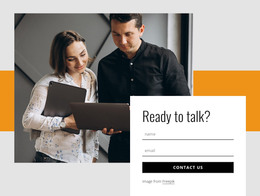
The surrounding page gives those entries a stable context. The hero combines a large team photograph with the headline “We help our clients achieve great things,” a black text panel, and orange geometric accents, so the portfolio is introduced as client-oriented studio work rather than as an unconnected image archive. The About link creates a natural route toward background information, while the Company area adds service messaging and contact details that can remain as permanent page content.
Phone information, a displayed New York address, and social-link labels across the contact and footer areas create practical supporting regions around the work. The design can therefore keep page-oriented studio information beside a changing collection of project content without losing its visual identity. A WordPress Theme interpretation is strongest here when the gallery is treated as the publishable work area, while the hero, About route, Company section, and shared social elements provide the stable framework around it.
Customize with Nicepage
Open this ready-made template in the WordPress Website Builder and customize it visually in the Nicepage editor. Replace demo content, edit page sections, and adapt the design to your project without rebuilding the template from scratch.
Manage and Edit This Theme in WordPress
Customize and Install the WordPress Theme
Start with this ready-made theme instead of building the WordPress design from scratch. Customize its layout, content, typography, images, sections, and other design elements visually in Nicepage editor, then export and install the WordPress Theme, Plugin, and Pages on your WordPress site. The Nicepage WordPress Plugin lets you continue working with the site after installation.
Edit the Theme Directly in WordPress
After installation, you can edit the WordPress Theme directly in WordPress with the Nicepage WordPress Plugin. Use Site Style to customize site Colors, Fonts, Header, Footer, Blog, and Post Page Templates while working within your WordPress website.
Edit WordPress Pages Visually
Use the Nicepage WordPress Plugin to edit page content directly from the WordPress admin area. Open a WordPress Page with Nicepage and visually change its text, images, sections, and other page elements while continuing to manage the Page through WordPress.
WordPress Content and Theme Integration
Use the customized theme with WordPress Pages, Posts, Blog and Post Templates, menus, widgets, and other CMS-managed content. Shared theme elements such as Colors, Fonts, Header, Footer, Blog, and Post Page Templates can be managed as part of the overall site design, while WordPress provides the CMS environment for managing site content.
This workflow combines a ready-made WordPress Theme with visual customization, direct theme editing in WordPress, and continued content management through the Nicepage WordPress Plugin.