Call and find out WordPress Theme


Edit Template Offline
2. Create new page and search for id 4879895
Edit Template Online
Create Awesome Websites


Free Nicepage Builder
Keywords
Repeated Location Content Fits Beside WordPress Pages
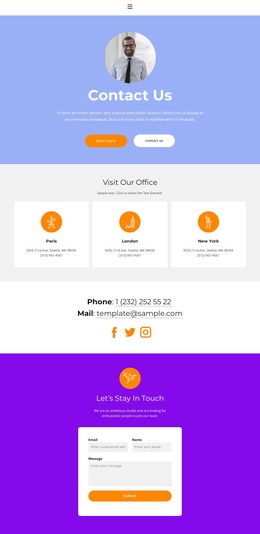
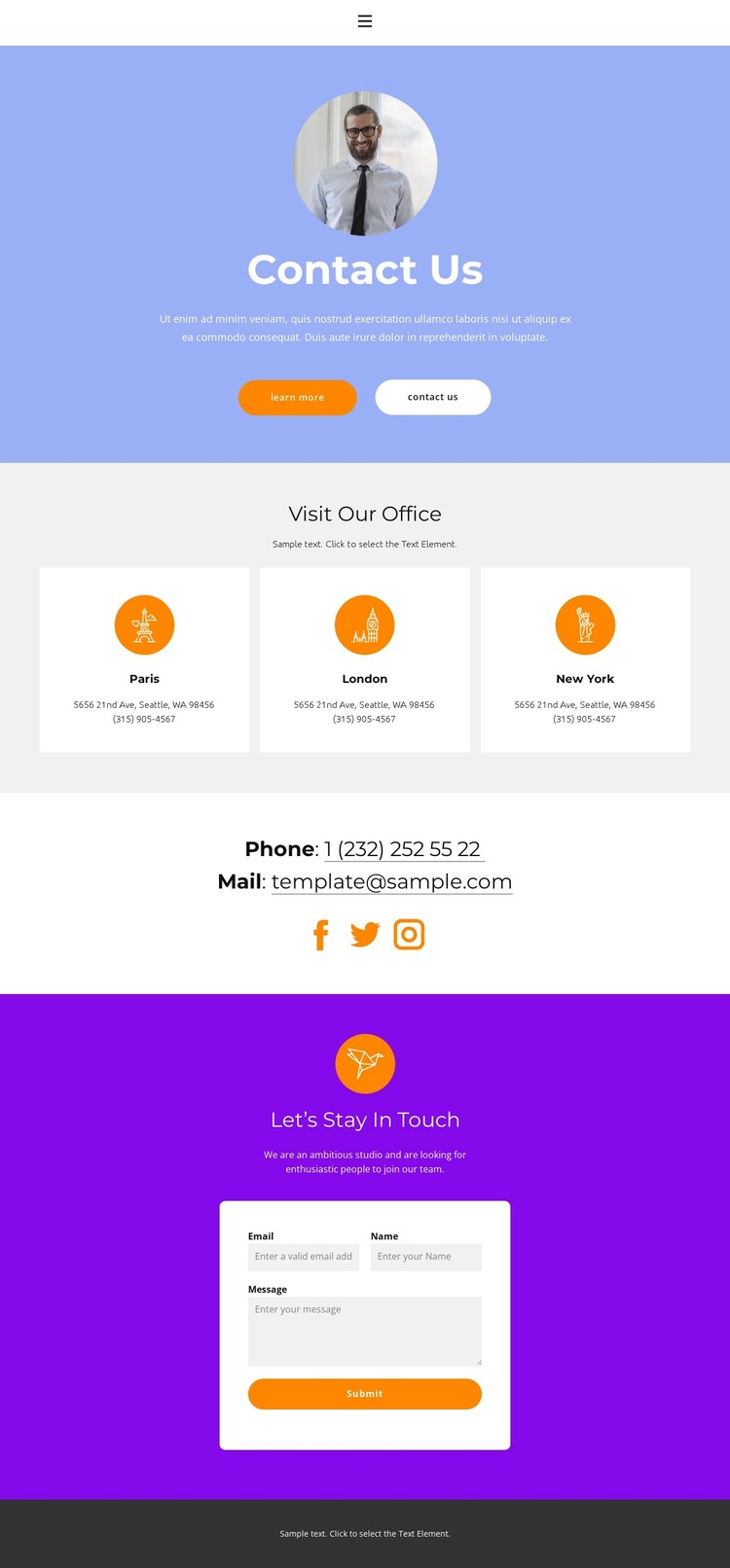
The page separates permanent contact information into content areas that can remain understandable as a site grows. Home, About, Team, and Contact already appear in the navigation, so the design can be interpreted as the Contact destination within a page-oriented WordPress project rather than as an isolated visual sample. The centered hero introduces that destination with a portrait, Contact Us heading, supporting text, and two action buttons.
The repeated office cards are especially useful for organizing structured page content. Paris, London, and New York appear as three parallel entries, each associated with address and phone details. This repeated pattern can support consistent location information while keeping each office distinguishable. The separate phone and email lines then provide general contact details, and the Facebook, Twitter, and Instagram links connect the page with social channels. These elements give the theme both fixed page information and recurring contact units to maintain.
The closing Let’s Stay In Touch area provides a separate response block rather than mixing inputs into the location grid. A white card contains name, email, and message fields with a Submit button, making the inquiry content easy to identify within the purple section. In a WordPress-managed project, this combination of page navigation, repeated location content, social channels, and a focused form creates a coherent theme context without assuming that blog posts or other CMS structures already exist.
Customize with Nicepage
Open this ready-made template in the WordPress Website Builder and customize it visually in the Nicepage editor. Replace demo content, edit page sections, and adapt the design to your project without rebuilding the template from scratch.
Manage and Edit This Theme in WordPress
Customize and Install the WordPress Theme
Start with this ready-made theme instead of building the WordPress design from scratch. Customize its layout, content, typography, images, sections, and other design elements visually in Nicepage editor, then export and install the WordPress Theme, Plugin, and Pages on your WordPress site. The Nicepage WordPress Plugin lets you continue working with the site after installation.
Edit the Theme Directly in WordPress
After installation, you can edit the WordPress Theme directly in WordPress with the Nicepage WordPress Plugin. Use Site Style to customize site Colors, Fonts, Header, Footer, Blog, and Post Page Templates while working within your WordPress website.
Edit WordPress Pages Visually
Use the Nicepage WordPress Plugin to edit page content directly from the WordPress admin area. Open a WordPress Page with Nicepage and visually change its text, images, sections, and other page elements while continuing to manage the Page through WordPress.
WordPress Content and Theme Integration
Use the customized theme with WordPress Pages, Posts, Blog and Post Templates, menus, widgets, and other CMS-managed content. Shared theme elements such as Colors, Fonts, Header, Footer, Blog, and Post Page Templates can be managed as part of the overall site design, while WordPress provides the CMS environment for managing site content.
This workflow combines a ready-made WordPress Theme with visual customization, direct theme editing in WordPress, and continued content management through the Nicepage WordPress Plugin.