Numbered colored list WordPress Theme


Four Numbered Services Form Stable Page Content
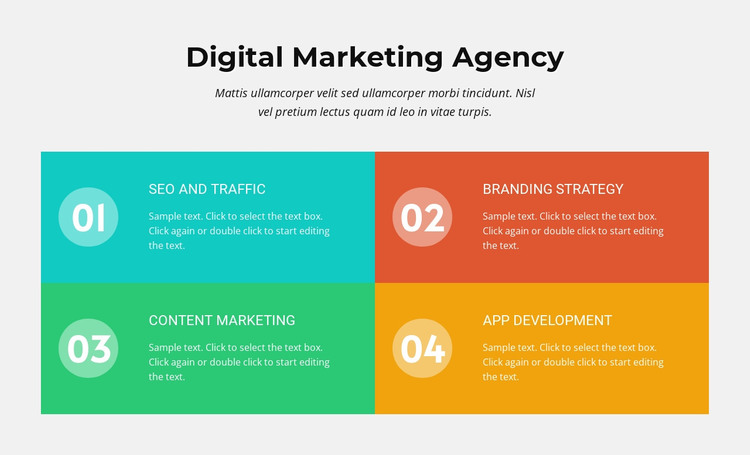
The centered “Digital Marketing Agency” heading and introductory paragraph give the section a clear subject before the individual offerings begin. Below them, SEO and Traffic, Branding Strategy, Content Marketing, and App Development appear as four separate service cards. Each card combines a 01–04 number marker with a title and supporting description, so the content can be read as distinct service information rather than one uninterrupted paragraph.
In a WordPress-managed page, this arrangement suits durable services content that needs a consistent visual presentation. The two-by-two grid creates four recognizable content units, while the bright rectangular card treatments help visitors distinguish the offerings quickly. The light gray background contains the group, and the repeated translucent circular markers provide a visual system that remains consistent across all four items. The static layout keeps the section focused on presenting the service information rather than introducing an interaction pattern.
The block can therefore occupy a services area on a WordPress page while other parts of the broader project handle navigation, additional content, case studies, testimonials, or contact details. Its page-oriented value comes from the relationship between one explanatory introduction and four maintainable service entries. If the surrounding project later updates service wording or descriptions, the established card structure still gives those changes a consistent place without turning this single section into a complete theme or site. Nicepage’s WordPress workflow can provide the wider CMS context, while this block remains focused on its own publishable content area.
Customize with Nicepage
Open this ready-made template in the WordPress Website Builder and customize it visually in the Nicepage editor. Replace demo content, edit page sections, and adapt the design to your project without rebuilding the template from scratch.
Edit Template Offline
2. Create a new page or select existing
3. Click Add new block, search for id 483912 and click enter
Edit Template Online
Create Awesome Websites


Free Nicepage Builder
Keywords
Manage and Edit This Theme in WordPress
Customize and Install the WordPress Theme
Start with this ready-made theme instead of building the WordPress design from scratch. Customize its layout, content, typography, images, sections, and other design elements visually in Nicepage editor, then export and install the WordPress Theme, Plugin, and Pages on your WordPress site. The Nicepage WordPress Plugin lets you continue working with the site after installation.
Edit the Theme Directly in WordPress
After installation, you can edit the WordPress Theme directly in WordPress with the Nicepage WordPress Plugin. Use Site Style to customize site Colors, Fonts, Header, Footer, Blog, and Post Page Templates while working within your WordPress website.
Edit WordPress Pages Visually
Use the Nicepage WordPress Plugin to edit page content directly from the WordPress admin area. Open a WordPress Page with Nicepage and visually change its text, images, sections, and other page elements while continuing to manage the Page through WordPress.
WordPress Content and Theme Integration
Use the customized theme with WordPress Pages, Posts, Blog and Post Templates, menus, widgets, and other CMS-managed content. Shared theme elements such as Colors, Fonts, Header, Footer, Blog, and Post Page Templates can be managed as part of the overall site design, while WordPress provides the CMS environment for managing site content.
This workflow combines a ready-made WordPress Theme with visual customization, direct theme editing in WordPress, and continued content management through the Nicepage WordPress Plugin.