How best to sell a house WordPress Theme


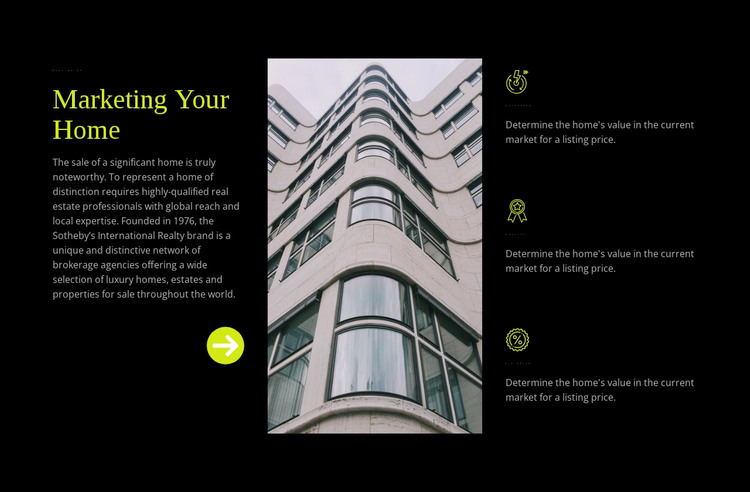
Stable page content connects the image with three property features
The left side of the section reads as stable page content: the eyebrow and “Marketing Your Home” heading introduce the subject, while the paragraph provides supporting context about representing significant homes and luxury properties. The tall architectural photograph then acts as a visual divider and gives the message a property-centered focal point. On the right, the three labeled items—“quickness,” “quality,” and “fix price”—turn the broader message into a compact set of content units supported by circular outlined icons.
For a WordPress-managed page, this arrangement can serve as a reusable services or features region without depending on time-sensitive editorial material. The text and image relationship remains clear when the section is placed among other page content, while the feature stack provides a repeatable pattern for presenting related capabilities. The black background and bright yellow-green accents distinguish the region from surrounding content, and the light gray paragraph text keeps the denser copy readable against the dark field. A wider WordPress project can place listing content, company information, contact areas, or other page sections around it. The block therefore contributes a defined publishable content area while retaining its own internal hierarchy and visual treatment.
Customize with Nicepage
Open this ready-made template in the WordPress Website Builder and customize it visually in the Nicepage editor. Replace demo content, edit page sections, and adapt the design to your project without rebuilding the template from scratch.
Edit Template Offline
2. Create a new page or select existing
3. Click Add new block, search for id 40800 and click enter
Edit Template Online
Create Awesome Websites


Free Nicepage Builder
Keywords
Manage and Edit This Theme in WordPress
Customize and Install the WordPress Theme
Start with this ready-made theme instead of building the WordPress design from scratch. Customize its layout, content, typography, images, sections, and other design elements visually in Nicepage editor, then export and install the WordPress Theme, Plugin, and Pages on your WordPress site. The Nicepage WordPress Plugin lets you continue working with the site after installation.
Edit the Theme Directly in WordPress
After installation, you can edit the WordPress Theme directly in WordPress with the Nicepage WordPress Plugin. Use Site Style to customize site Colors, Fonts, Header, Footer, Blog, and Post Page Templates while working within your WordPress website.
Edit WordPress Pages Visually
Use the Nicepage WordPress Plugin to edit page content directly from the WordPress admin area. Open a WordPress Page with Nicepage and visually change its text, images, sections, and other page elements while continuing to manage the Page through WordPress.
WordPress Content and Theme Integration
Use the customized theme with WordPress Pages, Posts, Blog and Post Templates, menus, widgets, and other CMS-managed content. Shared theme elements such as Colors, Fonts, Header, Footer, Blog, and Post Page Templates can be managed as part of the overall site design, while WordPress provides the CMS environment for managing site content.
This workflow combines a ready-made WordPress Theme with visual customization, direct theme editing in WordPress, and continued content management through the Nicepage WordPress Plugin.