Help from business consultant WordPress Theme


The portrait card turns expertise into stable page content
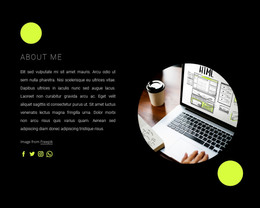
The upper charcoal panel gives this block a strong permanent-page content role for a WordPress-managed site. “How We Help” acts as the entry heading, while the statement about capturing value across organizational silos explains the section’s consulting viewpoint. The three social media links extend that introductory area with secondary ways to connect, but they do not replace the block’s main content message.
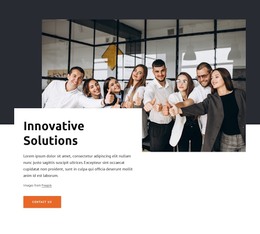
The lower half is more direct and works as the section’s primary page-content unit. A portrait sits behind a yellow horizontal rectangle, creating a recognizable visual anchor. Over the image, the white expertise card presents the “We bring deep, functional expertise” heading, supporting paragraph, image attribution, and “contact us” button. The overlapping placement makes the card feel connected to the portrait while the border and drop shadow keep its text legible. The button therefore follows a clear sequence: the visitor sees the consulting perspective, encounters the expertise explanation, and can then continue toward contact.
Within WordPress-oriented content, this block can sit as a stable consulting or expertise section on a page while other CMS-managed content develops around it. The section does not need to carry a blog or repeated editorial structure; its value comes from presenting a focused message and a direct contact path in one visual unit. The layered composition also gives the page a distinctive content marker that can separate consulting information from neighboring sections.
Customize with Nicepage
Open this ready-made template in the WordPress Website Builder and customize it visually in the Nicepage editor. Replace demo content, edit page sections, and adapt the design to your project without rebuilding the template from scratch.
Edit Template Offline
2. Create a new page or select existing
3. Click Add new block, search for id 347704 and click enter
Edit Template Online
Create Awesome Websites


Free Nicepage Builder
Keywords
Manage and Edit This Theme in WordPress
Customize and Install the WordPress Theme
Start with this ready-made theme instead of building the WordPress design from scratch. Customize its layout, content, typography, images, sections, and other design elements visually in Nicepage editor, then export and install the WordPress Theme, Plugin, and Pages on your WordPress site. The Nicepage WordPress Plugin lets you continue working with the site after installation.
Edit the Theme Directly in WordPress
After installation, you can edit the WordPress Theme directly in WordPress with the Nicepage WordPress Plugin. Use Site Style to customize site Colors, Fonts, Header, Footer, Blog, and Post Page Templates while working within your WordPress website.
Edit WordPress Pages Visually
Use the Nicepage WordPress Plugin to edit page content directly from the WordPress admin area. Open a WordPress Page with Nicepage and visually change its text, images, sections, and other page elements while continuing to manage the Page through WordPress.
WordPress Content and Theme Integration
Use the customized theme with WordPress Pages, Posts, Blog and Post Templates, menus, widgets, and other CMS-managed content. Shared theme elements such as Colors, Fonts, Header, Footer, Blog, and Post Page Templates can be managed as part of the overall site design, while WordPress provides the CMS environment for managing site content.
This workflow combines a ready-made WordPress Theme with visual customization, direct theme editing in WordPress, and continued content management through the Nicepage WordPress Plugin.