Join us block with contact form and flags WordPress Theme


Stable contact content combines an email request with office details
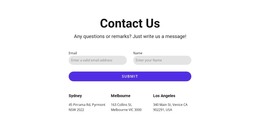
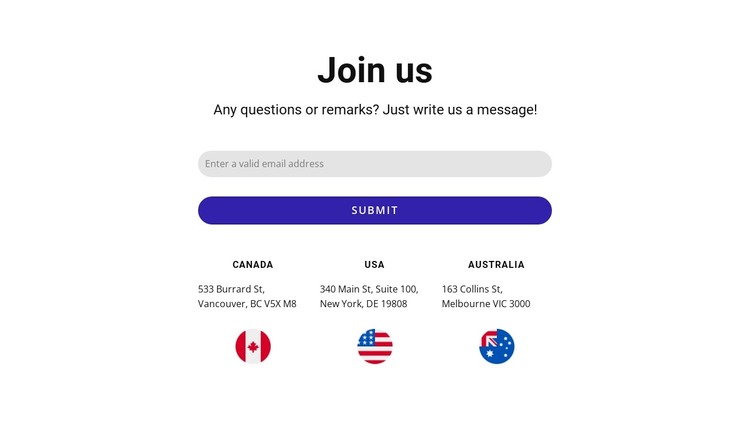
The block reads as durable page content because its message is organized around a straightforward contact purpose. “Join us” and the supporting prompt introduce one email input, followed by a Submit control that gives the visitor a clear response route. The lower row is a separate content group: Canada, USA, and Australia each have an address and a circular flag image, making the geographic information easy to scan and maintain as a repeated pattern.
In a WordPress-oriented project, this section can participate in a managed contact or office-information page while retaining its existing visual arrangement. Its content is more like a stable page area than a time-sensitive listing: the heading, inquiry field, and location references can remain consistent as the surrounding site develops. The block does not need to carry the wider theme structure; it supplies one publishable visual section within it.
The centered alignment helps the content remain cohesive, while the three equal columns give each regional item comparable weight. Generous vertical spacing separates the response point from the office references, so the form remains the primary interaction. A broader WordPress project can place other content around this section, but the block’s own contribution stays focused: invite contact first, then provide three clearly identified geographic reference points.
Customize with Nicepage
Open this ready-made template in the WordPress Website Builder and customize it visually in the Nicepage editor. Replace demo content, edit page sections, and adapt the design to your project without rebuilding the template from scratch.
Edit Template Offline
2. Create a new page or select existing
3. Click Add new block, search for id 3169641 and click enter
Edit Template Online
Create Awesome Websites


Free Nicepage Builder
Keywords
Manage and Edit This Theme in WordPress
Customize and Install the WordPress Theme
Start with this ready-made theme instead of building the WordPress design from scratch. Customize its layout, content, typography, images, sections, and other design elements visually in Nicepage editor, then export and install the WordPress Theme, Plugin, and Pages on your WordPress site. The Nicepage WordPress Plugin lets you continue working with the site after installation.
Edit the Theme Directly in WordPress
After installation, you can edit the WordPress Theme directly in WordPress with the Nicepage WordPress Plugin. Use Site Style to customize site Colors, Fonts, Header, Footer, Blog, and Post Page Templates while working within your WordPress website.
Edit WordPress Pages Visually
Use the Nicepage WordPress Plugin to edit page content directly from the WordPress admin area. Open a WordPress Page with Nicepage and visually change its text, images, sections, and other page elements while continuing to manage the Page through WordPress.
WordPress Content and Theme Integration
Use the customized theme with WordPress Pages, Posts, Blog and Post Templates, menus, widgets, and other CMS-managed content. Shared theme elements such as Colors, Fonts, Header, Footer, Blog, and Post Page Templates can be managed as part of the overall site design, while WordPress provides the CMS environment for managing site content.
This workflow combines a ready-made WordPress Theme with visual customization, direct theme editing in WordPress, and continued content management through the Nicepage WordPress Plugin.