Join us for our run runs WordPress Theme


The Overlapping Photograph Anchors Stable WordPress Page Content
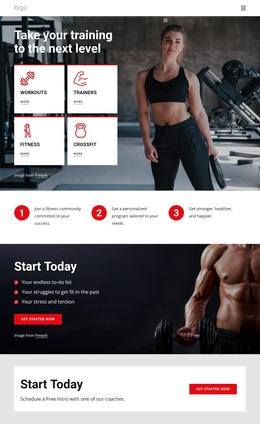
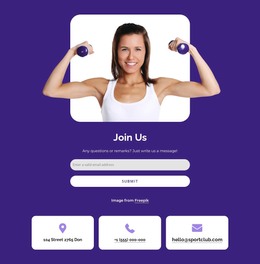
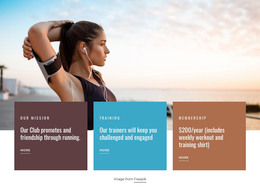
The image-and-card relationship gives this section a clear role as page content in a WordPress-managed project. A photograph of a woman exercising forms the dominant visual anchor, positioned above and behind a horizontal row of three rounded cards. The numbered labels 01, 02, and 03 organize the repeated information into a simple sequence, while the compact placeholder paragraphs can be replaced with the page’s own fitness-related explanations.
The card styling reinforces that sequence without adding interaction. The first and third cards use light gray backgrounds, and the middle card shifts to a pink-to-orange gradient, creating a central point of emphasis. Pink and purple organic gradient shapes frame the photograph, connecting the image treatment with the card palette. Since the interaction is static, the content is presented directly rather than hidden behind tabs, sliders, or expandable controls.
For WordPress-oriented use, this block can remain a stable informational section on a page while the wider project handles other publishable content around it. It may suit a fitness or sports context because of the exercise photograph, but its three-part structure can also carry more general explanatory content after editing. The Freepik credit line remains part of the image presentation and should be retained when appropriate. Nicepage’s WordPress workflow can support the surrounding page, while this block remains one reusable content area.
Customize with Nicepage
Open this ready-made template in the WordPress Website Builder and customize it visually in the Nicepage editor. Replace demo content, edit page sections, and adapt the design to your project without rebuilding the template from scratch.
Edit Template Offline
2. Create a new page or select existing
3. Click Add new block, search for id 2057415 and click enter
Edit Template Online
Create Awesome Websites


Free Nicepage Builder
Keywords
Manage and Edit This Theme in WordPress
Customize and Install the WordPress Theme
Start with this ready-made theme instead of building the WordPress design from scratch. Customize its layout, content, typography, images, sections, and other design elements visually in Nicepage editor, then export and install the WordPress Theme, Plugin, and Pages on your WordPress site. The Nicepage WordPress Plugin lets you continue working with the site after installation.
Edit the Theme Directly in WordPress
After installation, you can edit the WordPress Theme directly in WordPress with the Nicepage WordPress Plugin. Use Site Style to customize site Colors, Fonts, Header, Footer, Blog, and Post Page Templates while working within your WordPress website.
Edit WordPress Pages Visually
Use the Nicepage WordPress Plugin to edit page content directly from the WordPress admin area. Open a WordPress Page with Nicepage and visually change its text, images, sections, and other page elements while continuing to manage the Page through WordPress.
WordPress Content and Theme Integration
Use the customized theme with WordPress Pages, Posts, Blog and Post Templates, menus, widgets, and other CMS-managed content. Shared theme elements such as Colors, Fonts, Header, Footer, Blog, and Post Page Templates can be managed as part of the overall site design, while WordPress provides the CMS environment for managing site content.
This workflow combines a ready-made WordPress Theme with visual customization, direct theme editing in WordPress, and continued content management through the Nicepage WordPress Plugin.