Organic Mushroom Template


Edit Template Offline
2. Create new page and search for id 6662567
Edit Template Online
Create Awesome Websites


Free Nicepage Builder
Keywords
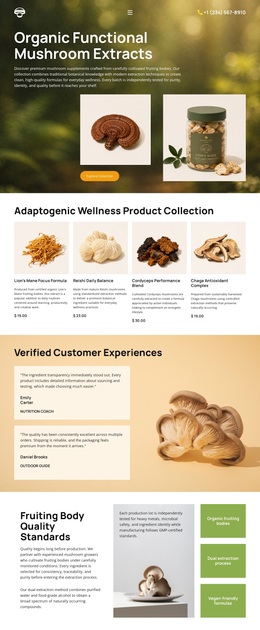
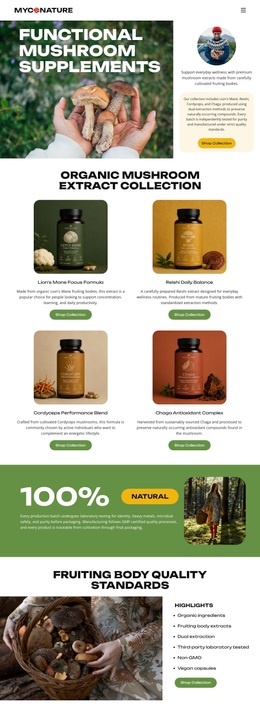
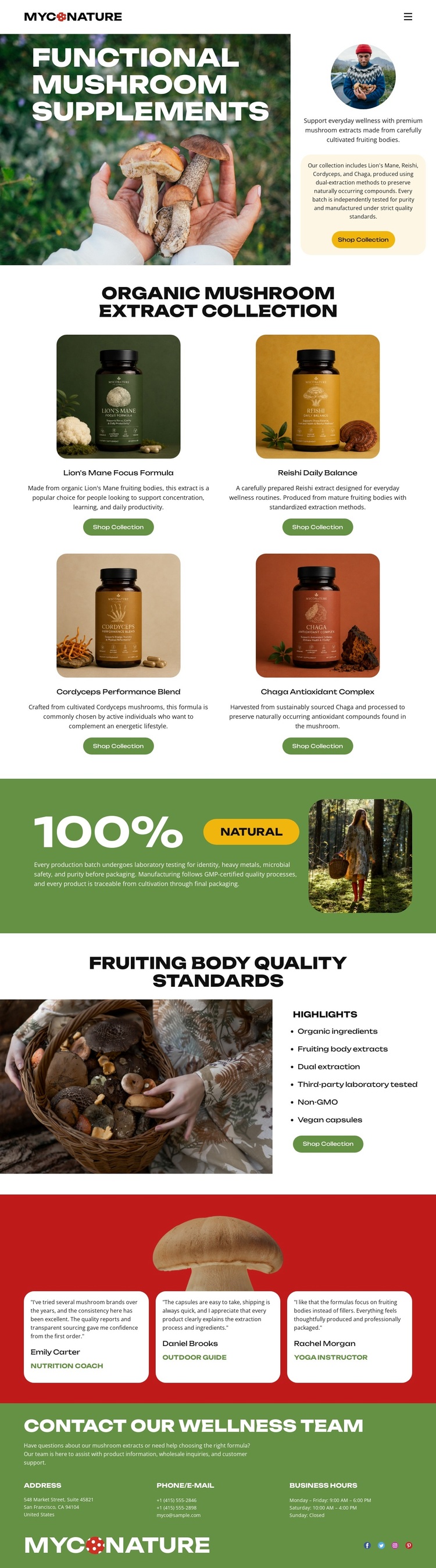
Four Formulas Give the Design a Clear Collection Identity
The four named supplement cards are the strongest reason to consider this design as a starting option. Lion's Mane Focus Formula, Reishi Daily Balance, Cordyceps Performance Blend, and Chaga Antioxidant Complex are presented as related choices rather than as one isolated product. That collection emphasis is supported by packaging imagery and a Shop Collection action in the hero, so the page communicates both the subject and the breadth of the offer early.
The surrounding sections make the design more than a product grid. Mushroom and forest imagery establish a natural visual direction, while the green 100% Natural band provides a broad positioning statement. The quality block then adds a concise set of attributes involving organic ingredients, fruiting body extracts, third-party laboratory testing, non-GMO positioning, and vegan capsules. Three testimonial cards contribute a separate layer of supporting content, and the final wellness-team contact area gives the page a clear closing point. Together, these relationships suit a supplement project that needs visual storytelling, collection coverage, quality context, and reassurance in one compact presentation. The design is a distinctive option for product-led wellness content rather than a layout centered on a single item or dense long-form explanation.
Customize with Nicepage
Open this ready-made template in the Template Builder and customize it visually in the Nicepage editor. Replace demo content, edit page sections, and adapt the design to your project without rebuilding the template from scratch.
Start With a Ready-Made Template
Choose a Design for a New Page
Use a ready-made template as a starting point instead of creating every page from a blank canvas. When adding a new page in Nicepage, browse available designs, compare different layouts, and choose an option that already fits the general purpose and visual direction of your project.
Browse Different Page Designs
Explore Page Designs using search, thematic categories, Design Sets, and full-page previews. The collection includes layouts for different subjects and page purposes, making it easier to compare alternatives before selecting a design to customize.
Customize the Selected Template
After choosing a design, create the page and continue editing it visually in Nicepage. Replace the demo content, adjust images, typography, colors, sections, and other elements, and adapt the ready-made layout to your own content instead of rebuilding the design from the beginning.
Explore More Design Directions
If the first option does not match your project closely enough, return to the design collection and compare other templates before committing to a layout. This makes the template library useful not only for faster page creation, but also for exploring different visual approaches and finding a suitable starting point for a new project.
This workflow gives you access to a broad collection of ready-made designs that can be selected, compared, and customized according to the needs of each new page or project.