Digital studio blog posts Template


Edit Template Offline
2. Create new page and search for id 6458489
Edit Template Online
Create Awesome Websites


Free Nicepage Builder
Keywords
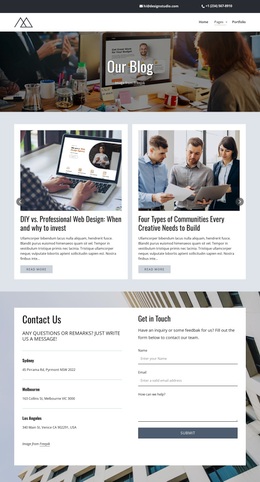
Six Topic-Led Cards Give This Blog Design a Clear Editorial Focus
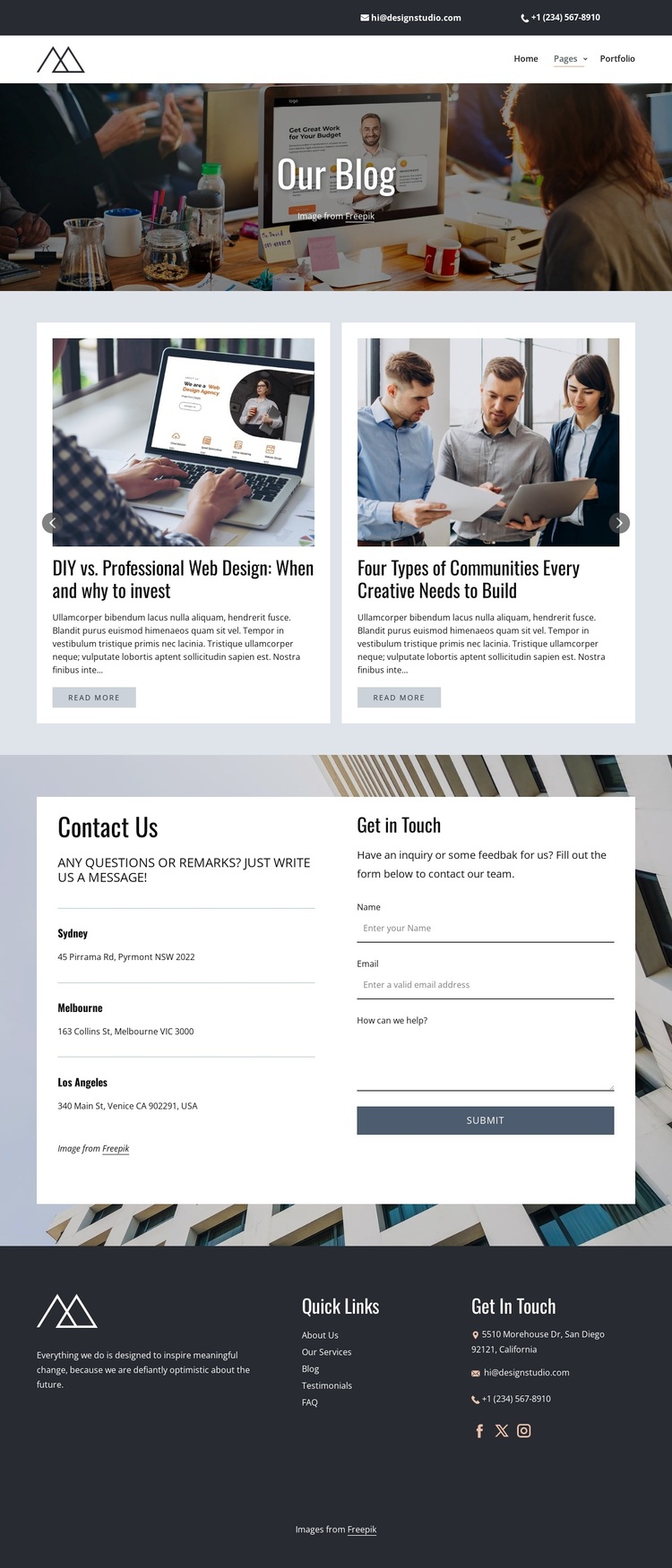
The six article cards are the most distinctive reason to consider this design among broader template choices. They do not present one narrow subject; instead, they cover web design, creative communities, accessibility, and AI trends. That range makes the layout appropriate for a studio or publication that wants to connect practical design discussion with wider creative and digital topics. Images, titles, excerpts, and Read More actions work together so the collection can communicate variety without becoming an unstructured list.
The visual treatment reinforces that choice. A large photographic hero introduces “Our Blog,” and the dark charcoal, muted blue, white, and pale lavender palette gives the page a restrained editorial direction. Compact white cards stand apart from the darker surrounding areas, while generous spacing keeps the article collection readable. This combination favors visual storytelling and scannable content over a dense service catalogue or product grid.
The lower contact area broadens the design’s usefulness without changing its central identity. Three office listings and an inquiry form provide a practical way for a studio or editorial team to receive questions after visitors explore the articles. The dark footer adds Quick Links, contact details, and social channels, including Facebook, Twitter, and Instagram. As a ready-made choice, the template therefore combines editorial coverage, recognizable visual direction, and a defined communication area in one page.
Customize with Nicepage
Open this ready-made template in the Template Builder and customize it visually in the Nicepage editor. Replace demo content, edit page sections, and adapt the design to your project without rebuilding the template from scratch.
Start With a Ready-Made Template
Choose a Design for a New Page
Use a ready-made template as a starting point instead of creating every page from a blank canvas. When adding a new page in Nicepage, browse available designs, compare different layouts, and choose an option that already fits the general purpose and visual direction of your project.
Browse Different Page Designs
Explore Page Designs using search, thematic categories, Design Sets, and full-page previews. The collection includes layouts for different subjects and page purposes, making it easier to compare alternatives before selecting a design to customize.
Customize the Selected Template
After choosing a design, create the page and continue editing it visually in Nicepage. Replace the demo content, adjust images, typography, colors, sections, and other elements, and adapt the ready-made layout to your own content instead of rebuilding the design from the beginning.
Explore More Design Directions
If the first option does not match your project closely enough, return to the design collection and compare other templates before committing to a layout. This makes the template library useful not only for faster page creation, but also for exploring different visual approaches and finding a suitable starting point for a new project.
This workflow gives you access to a broad collection of ready-made designs that can be selected, compared, and customized according to the needs of each new page or project.