General House Cleaning Template


A Trust-Led Hero With a Strong Image Contrast
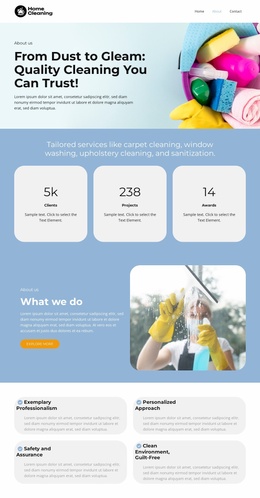
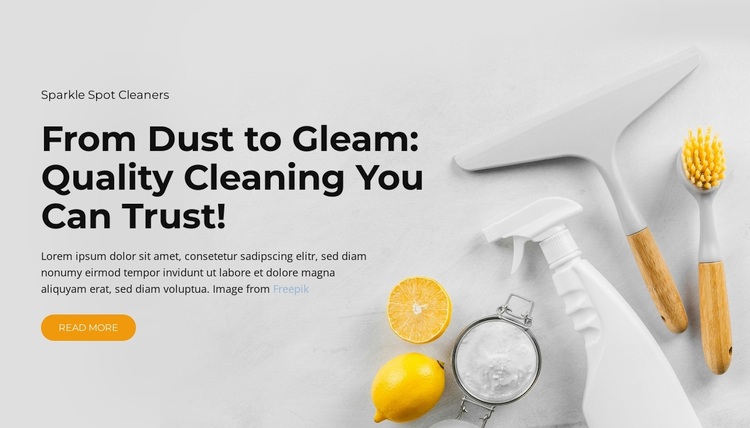
The choice is defined by the relationship between a direct cleaning message and a visually specific image treatment. “From Dust to Gleam: Quality Cleaning You Can Trust!” gives the left text column a clear theme, while the cleaning image on the right shows spray bottles, brushes, a squeegee, lemons, and cleaning powder. This pairing communicates the category quickly without requiring a long list of service cards or multiple competing content groups.
The layout also gives the section a particular visual balance. A large, bold dark heading anchors the pale text area, supporting copy fills in the introduction, and the rounded yellow “Read more” button supplies one visible next step. On the opposite side, the image carries much of the subject recognition. Generous whitespace keeps those elements from merging into a crowded composition, so the block can introduce a service topic with both editorial clarity and visual presence.
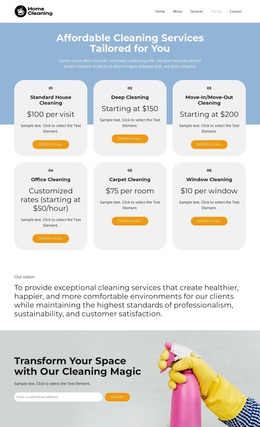
Among ready-made Templates, this option is especially suitable when a page needs an opening cleaning-services statement that feels more focused than a grid of offerings. It can be selected as one block design and then coordinated with neighboring sections for detailed services, proof, or contact information. The block itself remains a single static section, but its clear text-to-image contrast makes it a recognizable design choice for a broader page.
Customize with Nicepage
Open this ready-made template in the Template Builder and customize it visually in the Nicepage editor. Replace demo content, edit page sections, and adapt the design to your project without rebuilding the template from scratch.
Edit Template Offline
2. Create a new page or select existing
3. Click Add new block, search for id 6400191 and click enter
Edit Template Online
Create Awesome Websites


Free Nicepage Builder
Keywords
Start With a Ready-Made Template
Choose a Design for a New Page
Use a ready-made template as a starting point instead of creating every page from a blank canvas. When adding a new page in Nicepage, browse available designs, compare different layouts, and choose an option that already fits the general purpose and visual direction of your project.
Browse Different Page Designs
Explore Page Designs using search, thematic categories, Design Sets, and full-page previews. The collection includes layouts for different subjects and page purposes, making it easier to compare alternatives before selecting a design to customize.
Customize the Selected Template
After choosing a design, create the page and continue editing it visually in Nicepage. Replace the demo content, adjust images, typography, colors, sections, and other elements, and adapt the ready-made layout to your own content instead of rebuilding the design from the beginning.
Explore More Design Directions
If the first option does not match your project closely enough, return to the design collection and compare other templates before committing to a layout. This makes the template library useful not only for faster page creation, but also for exploring different visual approaches and finding a suitable starting point for a new project.
This workflow gives you access to a broad collection of ready-made designs that can be selected, compared, and customized according to the needs of each new page or project.