Business novelty Template



Edit Template Offline
2. Create new page and search for id 3626410
Edit Template Online
Create Awesome Websites


Free Nicepage Builder
Keywords
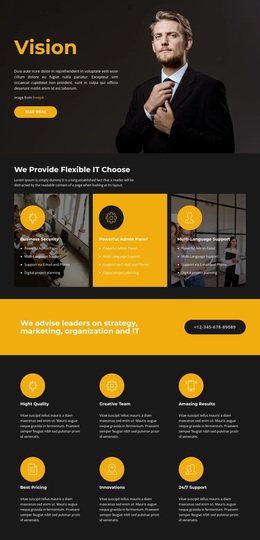
A Vision-Led Choice for Capability, People, and Contact Content
Large photographic backgrounds, a dark charcoal palette, and bright yellow-orange accents give this design an immediately recognizable starting direction. The page is not limited to one content type: its opening Vision section is followed by three capability cards that identify business security, administration, and multilingual support. That combination suits projects that need to explain several related areas without abandoning a strong visual entry point.
The design also covers content relationships that many business presentations need. A bright statement about strategy, marketing, organization, and IT creates a prominent action moment, while the six benefit cards provide compact supporting messages. The marketing and flexibility gallery introduces image-led variety, and the positioning section adds room for longer company statements. Eight team profiles, two testimonial cards, and three circular counters extend the page from service description into people, reassurance, and future-oriented presentation.
The contact area completes the choice with phone details, location, business hours, and an inquiry form. Sample names, testimonials, addresses, and counter values should be replaced with verified project information, but their presence demonstrates the design’s content coverage. This template is therefore a useful option for a business project seeking a bold, section-rich presentation rather than a layout centered only on pricing or a single service card group.
Customize with Nicepage
Open this ready-made template in the Template Builder and customize it visually in the Nicepage editor. Replace demo content, edit page sections, and adapt the design to your project without rebuilding the template from scratch.
Start With a Ready-Made Template
Choose a Design for a New Page
Use a ready-made template as a starting point instead of creating every page from a blank canvas. When adding a new page in Nicepage, browse available designs, compare different layouts, and choose an option that already fits the general purpose and visual direction of your project.
Browse Different Page Designs
Explore Page Designs using search, thematic categories, Design Sets, and full-page previews. The collection includes layouts for different subjects and page purposes, making it easier to compare alternatives before selecting a design to customize.
Customize the Selected Template
After choosing a design, create the page and continue editing it visually in Nicepage. Replace the demo content, adjust images, typography, colors, sections, and other elements, and adapt the ready-made layout to your own content instead of rebuilding the design from the beginning.
Explore More Design Directions
If the first option does not match your project closely enough, return to the design collection and compare other templates before committing to a layout. This makes the template library useful not only for faster page creation, but also for exploring different visual approaches and finding a suitable starting point for a new project.
This workflow gives you access to a broad collection of ready-made designs that can be selected, compared, and customized according to the needs of each new page or project.