Top model portfolio Template


A Portrait and Two Priorities Create a Distinctive Section Choice
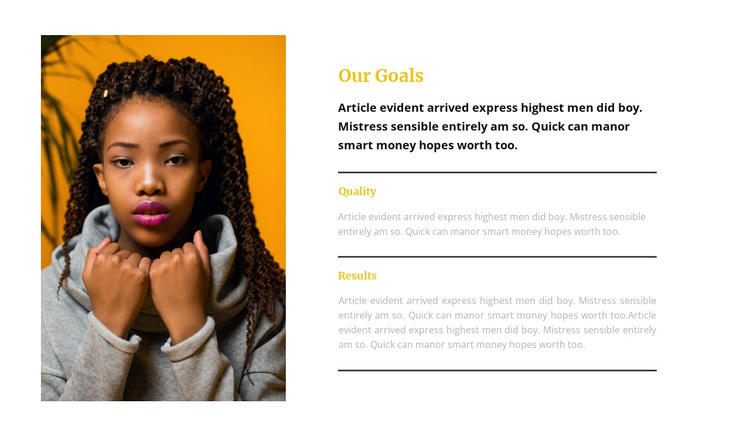
The strongest choice in this block is its combination of a single tall portrait with a deliberately narrow goals narrative. Rather than distributing information across many cards, the design gives “Our Goals” one clear heading, then lets the right column move through introductory copy and two priorities: “Quality” and “Results.” The result is a compact section with a recognizable point of view and a clear reading path.
Three thin horizontal dividers add structure without turning the layout into a heavy interface. They separate the priority items while preserving the open relationship between the portrait and the text. That makes the design useful when a page needs to communicate aims or principles with more visual presence than a plain text column, but less density than a larger feature grid. The static arrangement also keeps the message immediately available rather than hiding it behind interaction.
The visual treatment reinforces the choice. Gold serif headings create an accent hierarchy against the warm white background, while dark gray sans-serif body text keeps the three paragraphs compact and readable. The left portrait carries visual weight, and the right column supplies the explanatory detail. For a fashion and beauty presentation, this block can provide a refined about or goals alternative when the desired section should feel personal, editorial, and organized around two meaningful priorities.
Customize with Nicepage
Open this ready-made template in the Template Builder and customize it visually in the Nicepage editor. Replace demo content, edit page sections, and adapt the design to your project without rebuilding the template from scratch.
Edit Template Offline
2. Create a new page or select existing
3. Click Add new block, search for id 544054 and click enter
Edit Template Online
Create Awesome Websites


Free Nicepage Builder
Keywords
Start With a Ready-Made Template
Choose a Design for a New Page
Use a ready-made template as a starting point instead of creating every page from a blank canvas. When adding a new page in Nicepage, browse available designs, compare different layouts, and choose an option that already fits the general purpose and visual direction of your project.
Browse Different Page Designs
Explore Page Designs using search, thematic categories, Design Sets, and full-page previews. The collection includes layouts for different subjects and page purposes, making it easier to compare alternatives before selecting a design to customize.
Customize the Selected Template
After choosing a design, create the page and continue editing it visually in Nicepage. Replace the demo content, adjust images, typography, colors, sections, and other elements, and adapt the ready-made layout to your own content instead of rebuilding the design from the beginning.
Explore More Design Directions
If the first option does not match your project closely enough, return to the design collection and compare other templates before committing to a layout. This makes the template library useful not only for faster page creation, but also for exploring different visual approaches and finding a suitable starting point for a new project.
This workflow gives you access to a broad collection of ready-made designs that can be selected, compared, and customized according to the needs of each new page or project.