Travel app in your phone Template


A Smartphone-and-Forest CTA With a Focused Visual Rhythm
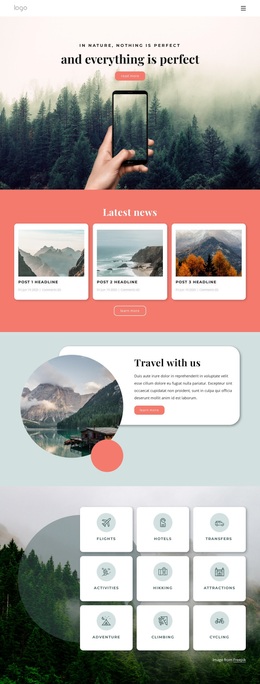
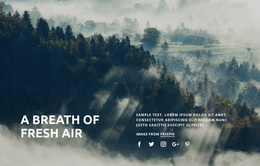
The combination of a misty forest scene and a hand-held smartphone gives this block a more specific visual direction than a plain text-and-button section. Above the image, the small “also like” eyebrow and larger “You Might” heading create a short message sequence, while the lone “read more” button supplies one obvious continuation point. The centered composition keeps the content compact and lets the image provide most of the atmosphere.
This makes the design worth considering when a page needs a related-content or promotional section with visual presence but limited information density. The block avoids a crowded card arrangement, multiple buttons, or a long explanatory paragraph, so it can occupy a clear transition point without competing with more detailed sections nearby. The coral-red rounded button adds a concentrated accent beneath the black typography, and the smartphone detail can support projects where mobile travel or technology is part of the surrounding visual direction. The block should be selected for this particular combination of image subject, centered hierarchy, and single-action structure. It remains one reusable design option rather than a complete page or broader website solution.
Customize with Nicepage
Open this ready-made template in the Template Builder and customize it visually in the Nicepage editor. Replace demo content, edit page sections, and adapt the design to your project without rebuilding the template from scratch.
Edit Template Offline
2. Create a new page or select existing
3. Click Add new block, search for id 50554 and click enter
Edit Template Online
Create Awesome Websites


Free Nicepage Builder
Keywords
Start With a Ready-Made Block Design
Choose a Section Instead of Building From Scratch
Use a ready-made block as a starting point when a page needs a particular content function or visual arrangement. Nicepage Block Designs provide section-level options for introductions, services, galleries, testimonials, contact forms, pricing, text layouts, and other common page needs.
Compare Different Layout Directions
Blocks with the same function can still differ in image emphasis, number of items, column structure, typography, spacing, card treatment, interaction, and overall visual weight. Compare those concrete characteristics before choosing the section that best matches the surrounding page.
Customize the Selected Block
After adding a block, replace demo content, adjust images and text, refine colors and typography, and adapt individual elements while preserving the section's useful structure. If another design fits the content better, return to the Block Designs collection and compare alternatives rather than forcing one section to solve a different function.
This workflow makes a Block ID a ready-made section choice: one reusable design option that can be selected and customized as part of a larger page.