Four Reviews Template


Portraits, Pale Panels, and Four Repeated Voices Shape the Design
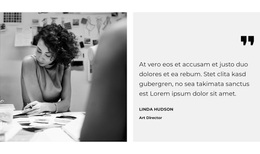
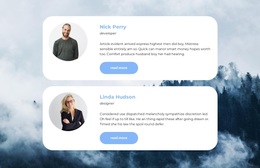
Four portrait-led cards give this testimonial section a clear reason to stand among alternative block designs. Instead of presenting one large quote or a dense list of comments, the layout distributes four viewpoints across two rows and two columns. Each card has the same content coverage—portrait, statement, name, and role—so the design can show variety through the people and words while preserving a consistent visual framework.
The treatment is distinctive in smaller details as well. Colorful portraits contrast with light neutral panels, bold uppercase names make identity information easy to locate, and italic role labels provide a quieter secondary line. Generous white space and even card spacing prevent the repeated content from becoming crowded. Together, these choices create a testimonial area that feels organized without depending on complex interaction or a large amount of supporting decoration.
This option is particularly suitable when a page needs several review items to remain visible at the same time. The two-by-two composition gives the section more presence than a single testimonial while staying compact enough to work between other page sections. It should be selected for the specific combination of four-card coverage, portrait emphasis, and balanced grid rhythm, rather than for a generic promise of solving an entire page design.
Customize with Nicepage
Open this ready-made template in the Template Builder and customize it visually in the Nicepage editor. Replace demo content, edit page sections, and adapt the design to your project without rebuilding the template from scratch.
Edit Template Offline
2. Create a new page or select existing
3. Click Add new block, search for id 500532 and click enter
Edit Template Online
Create Awesome Websites


Free Nicepage Builder
Keywords
Start With a Ready-Made Template
Choose a Design for a New Page
Use a ready-made template as a starting point instead of creating every page from a blank canvas. When adding a new page in Nicepage, browse available designs, compare different layouts, and choose an option that already fits the general purpose and visual direction of your project.
Browse Different Page Designs
Explore Page Designs using search, thematic categories, Design Sets, and full-page previews. The collection includes layouts for different subjects and page purposes, making it easier to compare alternatives before selecting a design to customize.
Customize the Selected Template
After choosing a design, create the page and continue editing it visually in Nicepage. Replace the demo content, adjust images, typography, colors, sections, and other elements, and adapt the ready-made layout to your own content instead of rebuilding the design from the beginning.
Explore More Design Directions
If the first option does not match your project closely enough, return to the design collection and compare other templates before committing to a layout. This makes the template library useful not only for faster page creation, but also for exploring different visual approaches and finding a suitable starting point for a new project.
This workflow gives you access to a broad collection of ready-made designs that can be selected, compared, and customized according to the needs of each new page or project.