Dog Article Template


A Portrait-Led Alternative to a Conventional Article Column
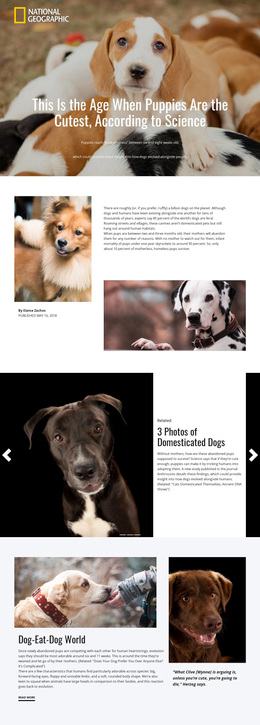
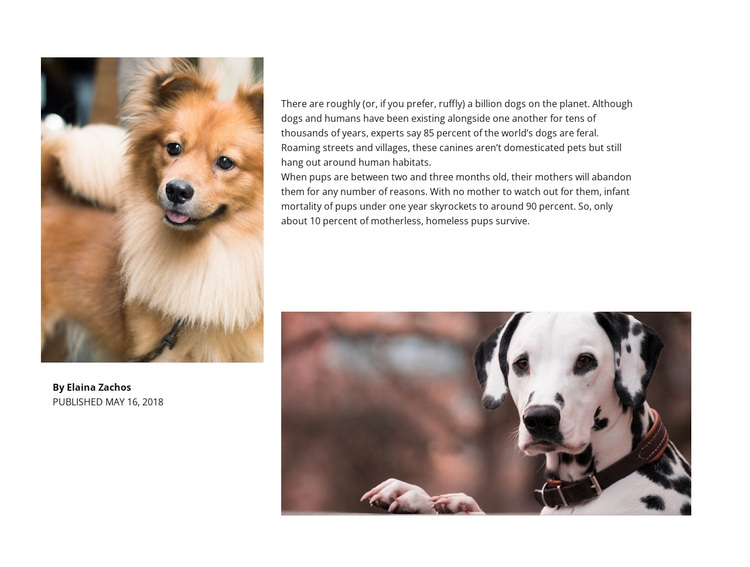
The large portrait on the left gives this section a stronger editorial identity than a plain full-width text treatment. It is paired directly with the author credit, while the right side keeps the long-form passage and the wide supporting dog image in a separate reading stack. That contrast between a compact author area and a broader article area is the main design characteristic to consider when comparing this block with other ready-made section options.
The content remains focused: the passage discusses dogs living near human habitats, refers to a stated estimate of approximately 85 percent of the world's dogs being feral, and addresses the mortality of motherless homeless puppies. The displayed author is Elaina Zachos, with May 16, 2018 shown as the publication date. These details make the section suitable when a page needs an informational animal feature with visible authorship and supporting imagery, rather than a short introduction or a repeated list of services.
The design also avoids unnecessary interaction. Two dog photographs provide visual pacing, but the block is static and does not depend on a gallery, carousel, or expandable content model. The white background leaves generous space around the black typography and helps the portrait, byline, passage, and lower image remain legible as separate parts of one article. As a Template choice, its value comes from combining author context and image-supported reading in one reusable section, while neighboring blocks can handle other page functions.
Customize with Nicepage
Open this ready-made template in the Template Builder and customize it visually in the Nicepage editor. Replace demo content, edit page sections, and adapt the design to your project without rebuilding the template from scratch.
Edit Template Offline
2. Create a new page or select existing
3. Click Add new block, search for id 42370 and click enter
Edit Template Online
Create Awesome Websites


Free Nicepage Builder
Keywords
Start With a Ready-Made Template
Choose a Design for a New Page
Use a ready-made template as a starting point instead of creating every page from a blank canvas. When adding a new page in Nicepage, browse available designs, compare different layouts, and choose an option that already fits the general purpose and visual direction of your project.
Browse Different Page Designs
Explore Page Designs using search, thematic categories, Design Sets, and full-page previews. The collection includes layouts for different subjects and page purposes, making it easier to compare alternatives before selecting a design to customize.
Customize the Selected Template
After choosing a design, create the page and continue editing it visually in Nicepage. Replace the demo content, adjust images, typography, colors, sections, and other elements, and adapt the ready-made layout to your own content instead of rebuilding the design from the beginning.
Explore More Design Directions
If the first option does not match your project closely enough, return to the design collection and compare other templates before committing to a layout. This makes the template library useful not only for faster page creation, but also for exploring different visual approaches and finding a suitable starting point for a new project.
This workflow gives you access to a broad collection of ready-made designs that can be selected, compared, and customized according to the needs of each new page or project.