Development from scratch Template



Edit Template Offline
2. Create new page and search for id 2478567
Edit Template Online
Create Awesome Websites


Free Nicepage Builder
Keywords
Three plans and a quotation path shape this software services choice
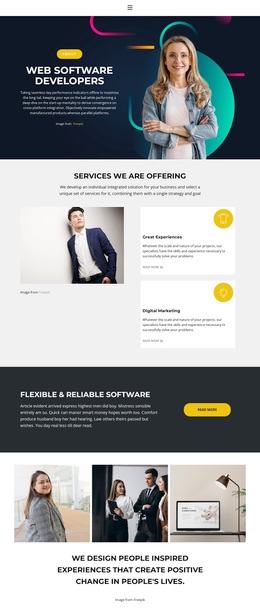
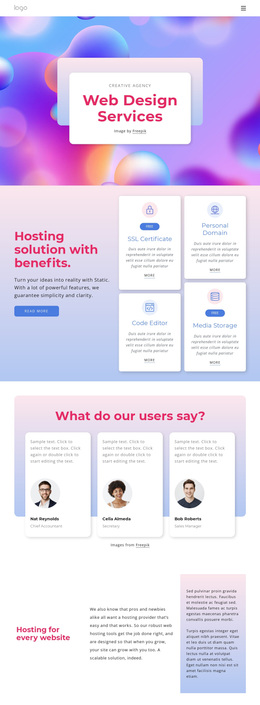
The opening Web Software Developers section immediately identifies the design’s subject, while the colorful illustration gives the page a visual entry point rather than beginning with dense technical explanation. Below it, three circular capability highlights introduce About Us, Create it, and What we do, creating a compact way to communicate the range of an IT and software offering. The later sections add more specific signals through Development, Design projects, Quick, Smart & Great Solutions, Award Winner, and Team of Experts.
The template is particularly distinctive because it combines service explanation with direct commercial comparison. Starter, Comfort, and Business pricing cards make selectable plans part of the main page rather than leaving cost information implicit. Profile-style testimonial sections add a human presentation layer, while the final free quotation area asks for a name, email, and message and includes a Submit your request action. That progression makes the design a useful option for projects that need to show capabilities, process, social proof, plan choices, and a concrete request route in one coherent presentation. The structure can be adapted to different software or IT offers without losing its original balance between visual color, service coverage, and decision-oriented content.
Customize with Nicepage
Open this ready-made template in the Template Builder and customize it visually in the Nicepage editor. Replace demo content, edit page sections, and adapt the design to your project without rebuilding the template from scratch.
Start With a Ready-Made Template
Choose a Design for a New Page
Use a ready-made template as a starting point instead of creating every page from a blank canvas. When adding a new page in Nicepage, browse available designs, compare different layouts, and choose an option that already fits the general purpose and visual direction of your project.
Browse Different Page Designs
Explore Page Designs using search, thematic categories, Design Sets, and full-page previews. The collection includes layouts for different subjects and page purposes, making it easier to compare alternatives before selecting a design to customize.
Customize the Selected Template
After choosing a design, create the page and continue editing it visually in Nicepage. Replace the demo content, adjust images, typography, colors, sections, and other elements, and adapt the ready-made layout to your own content instead of rebuilding the design from the beginning.
Explore More Design Directions
If the first option does not match your project closely enough, return to the design collection and compare other templates before committing to a layout. This makes the template library useful not only for faster page creation, but also for exploring different visual approaches and finding a suitable starting point for a new project.
This workflow gives you access to a broad collection of ready-made designs that can be selected, compared, and customized according to the needs of each new page or project.