We believe in creative problem solving. Template


A Portrait-Led Services Option With Four Clear Capabilities
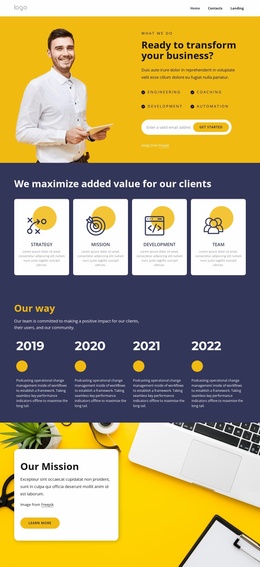
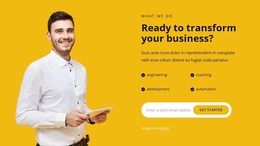
The design distinguishes itself by pairing a large portrait on the left with a concentrated services message on the right. Instead of using a conventional row of cards, the block places the “What we do” label and “Ready to transform your business?” heading above four concise capability labels: Engineering, Coaching, Development, and Automation. This gives the section a clear editorial rhythm, with the image establishing visual weight and the service group supplying the practical information.
The email form makes the design more than a purely introductory services arrangement. Its rounded white field sits visibly against the yellow background, and the yellow action button creates a compact response point without adding another large content region. That combination can suit a page that needs to explain several related capabilities while keeping the path toward contact close to the message.
As a ready-made block choice, its value lies in the specific combination of human imagery, strong color contrast, four service signals, and embedded contact intent. The surrounding page can add detailed service content or evidence, but this section already gives the design a defined role and visual identity. It is therefore a useful alternative to a neutral text-only services block or a repetitive multi-card layout.
Customize with Nicepage
Open this ready-made template in the Template Builder and customize it visually in the Nicepage editor. Replace demo content, edit page sections, and adapt the design to your project without rebuilding the template from scratch.
Edit Template Offline
2. Create a new page or select existing
3. Click Add new block, search for id 3766183 and click enter
Edit Template Online
Create Awesome Websites


Free Nicepage Builder
Keywords
Start With a Ready-Made Block Design
Choose a Section Instead of Building From Scratch
Use a ready-made block as a starting point when a page needs a particular content function or visual arrangement. Nicepage Block Designs provide section-level options for introductions, services, galleries, testimonials, contact forms, pricing, text layouts, and other common page needs.
Compare Different Layout Directions
Blocks with the same function can still differ in image emphasis, number of items, column structure, typography, spacing, card treatment, interaction, and overall visual weight. Compare those concrete characteristics before choosing the section that best matches the surrounding page.
Customize the Selected Block
After adding a block, replace demo content, adjust images and text, refine colors and typography, and adapt individual elements while preserving the section's useful structure. If another design fits the content better, return to the Block Designs collection and compare alternatives rather than forcing one section to solve a different function.
This workflow makes a Block ID a ready-made section choice: one reusable design option that can be selected and customized as part of a larger page.