Red oval truck transportaion Template


Edit Template Offline
2. Create new page and search for id 18275
Edit Template Online
Create Awesome Websites


Free Nicepage Builder
Keywords
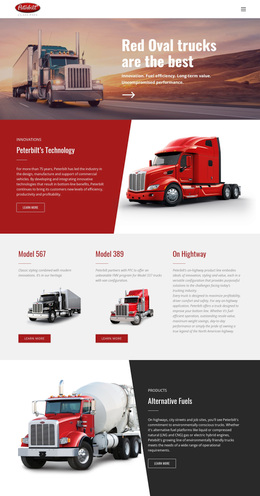
Three Truck Models Link Product Choice With Technical Storytelling
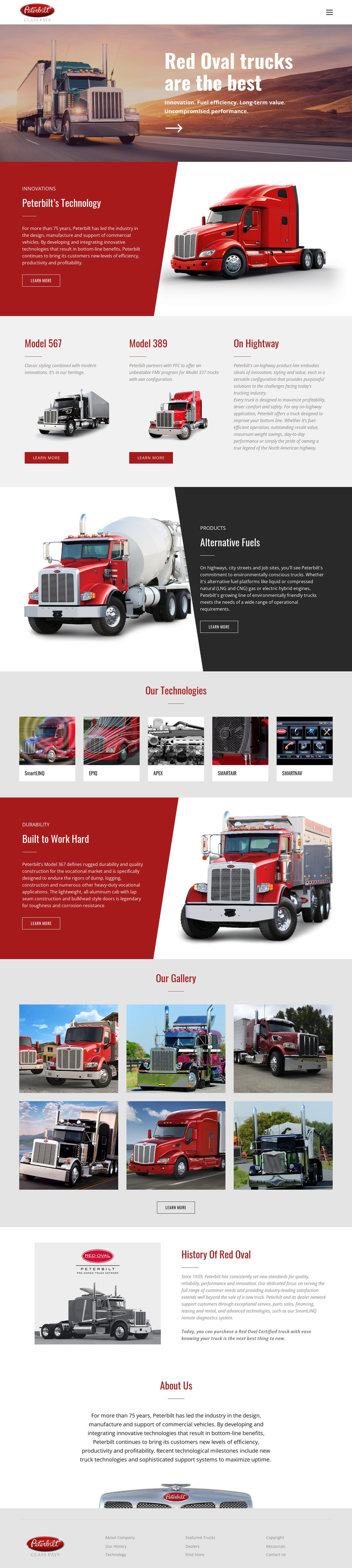
Large truck photography carries the message from the opening Red Oval hero into a broader product and company narrative. The design is worth considering because it does not rely on a single product image or a generic corporate introduction. Instead, it connects three identifiable model cards—Model 567, Model 389, and On Highway—with separate sections about Peterbilt’s Technology, Alternative Fuels, and the ability to be Built to Work Hard.
That combination gives the page useful coverage for a project that needs to show both truck options and the ideas surrounding them. The five-image technology row creates a compact visual index of technical subjects, while the six-photo gallery supplies a larger collection of truck imagery for visitors who respond to visual comparison. These image-led areas make the design more product-oriented than a layout built mainly around long paragraphs or service lists.
The page also includes History Of Red Oval and About Us sections, so the brand story does not end with model promotion. Visitors can move from trucks and technologies to company background within the same visual direction. The red and charcoal panels reinforce the industrial subject, while the white header and light-gray footer keep the presentation organized. This makes the template a strong choice when a transportation project needs product visibility, technical themes, and brand context together.
Customize with Nicepage
Open this ready-made template in the Template Builder and customize it visually in the Nicepage editor. Replace demo content, edit page sections, and adapt the design to your project without rebuilding the template from scratch.
Start With a Ready-Made Template
Choose a Design for a New Page
Use a ready-made template as a starting point instead of creating every page from a blank canvas. When adding a new page in Nicepage, browse available designs, compare different layouts, and choose an option that already fits the general purpose and visual direction of your project.
Browse Different Page Designs
Explore Page Designs using search, thematic categories, Design Sets, and full-page previews. The collection includes layouts for different subjects and page purposes, making it easier to compare alternatives before selecting a design to customize.
Customize the Selected Template
After choosing a design, create the page and continue editing it visually in Nicepage. Replace the demo content, adjust images, typography, colors, sections, and other elements, and adapt the ready-made layout to your own content instead of rebuilding the design from the beginning.
Explore More Design Directions
If the first option does not match your project closely enough, return to the design collection and compare other templates before committing to a layout. This makes the template library useful not only for faster page creation, but also for exploring different visual approaches and finding a suitable starting point for a new project.
This workflow gives you access to a broad collection of ready-made designs that can be selected, compared, and customized according to the needs of each new page or project.