Design strategy Template


Edit Template Offline
2. Create new page and search for id 144096
Edit Template Online
Create Awesome Websites


Free Nicepage Builder
Keywords
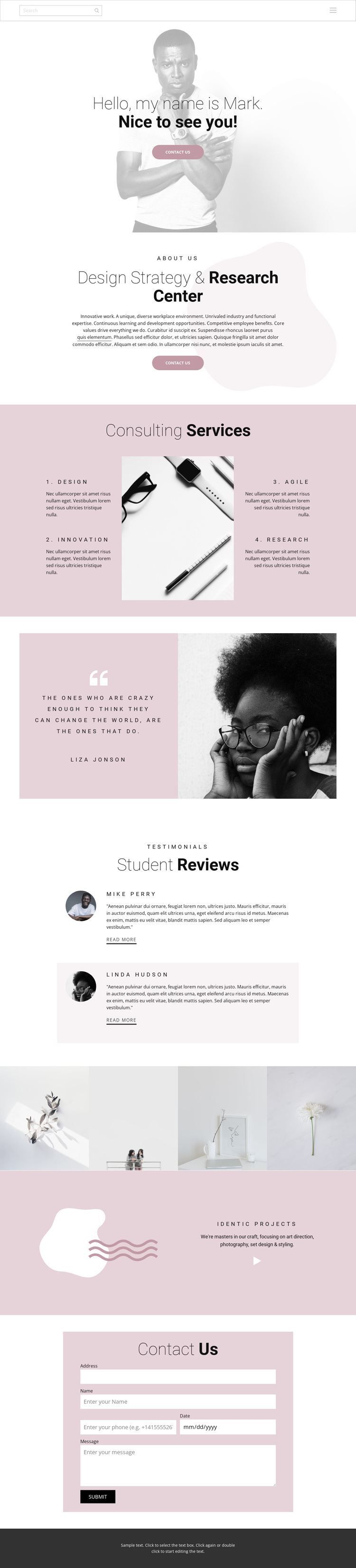
Four Capabilities Framed by Editorial Images and Client Response
The strongest reason to choose this design is the way it joins a clear consulting offer with visual proof. The opening portrait and centered welcome make the practice feel personally introduced, while the Design Strategy & Research Center section supplies explanatory context. The four capability labels—Design, Innovation, Agile, and Research—then give visitors a concise map of the work without requiring a dense services catalogue.
The design also covers several forms of supporting content. A quotation paired with a portrait creates a memorable change of pace, two review items offer social evidence, and four portfolio images make the page suitable for work that should be seen as well as described. The later statement about art direction, photography, set design, and styling extends the creative direction beyond the initial consulting labels. A dedicated inquiry form completes the content coverage, so the page can suit a practice that wants to combine strategy, selected work, reviews, and direct contact. Its soft pink, white, and charcoal palette, generous whitespace, organic shapes, and centered layouts distinguish it from a more conventional business page built around dense cards or pricing tables.
Customize with Nicepage
Open this ready-made template in the Template Builder and customize it visually in the Nicepage editor. Replace demo content, edit page sections, and adapt the design to your project without rebuilding the template from scratch.
Start With a Ready-Made Template
Choose a Design for a New Page
Use a ready-made template as a starting point instead of creating every page from a blank canvas. When adding a new page in Nicepage, browse available designs, compare different layouts, and choose an option that already fits the general purpose and visual direction of your project.
Browse Different Page Designs
Explore Page Designs using search, thematic categories, Design Sets, and full-page previews. The collection includes layouts for different subjects and page purposes, making it easier to compare alternatives before selecting a design to customize.
Customize the Selected Template
After choosing a design, create the page and continue editing it visually in Nicepage. Replace the demo content, adjust images, typography, colors, sections, and other elements, and adapt the ready-made layout to your own content instead of rebuilding the design from the beginning.
Explore More Design Directions
If the first option does not match your project closely enough, return to the design collection and compare other templates before committing to a layout. This makes the template library useful not only for faster page creation, but also for exploring different visual approaches and finding a suitable starting point for a new project.
This workflow gives you access to a broad collection of ready-made designs that can be selected, compared, and customized according to the needs of each new page or project.