Fashion designer biography Template


A Compact Profile Design With Clear Visual Contrast
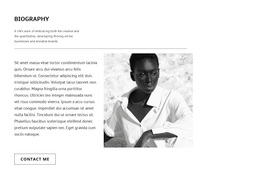
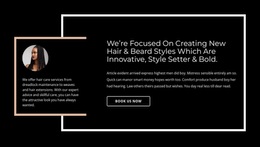
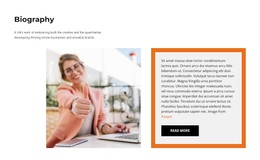
The centered opening and red divider give this Biography block a more editorial structure than a simple text-and-image row. The heading identifies the subject immediately, while the supporting paragraph creates a short introduction before the reader reaches the main account. That sequence makes the block suitable when personal background needs to be presented with a deliberate beginning, middle, and closing action.
Its strongest design choice is the split between the monochrome portrait and the biography paragraph. The portrait carries visual recognition on the left, while the single text column on the right leaves room for a fuller account without surrounding it with competing cards or repeated items. The white background and black typography keep attention on that relationship, and the red divider supplies a controlled accent rather than a second dominant image treatment.
The centered Contact Me button adds a focused finish below the story. Choose this section when the page needs one person to remain the visual and informational center, with a direct contact route placed after the biography. The design covers introduction, personal context, image-led identity, and a concluding action in one reusable block without trying to solve unrelated page functions.
Customize with Nicepage
Open this ready-made template in the Template Builder and customize it visually in the Nicepage editor. Replace demo content, edit page sections, and adapt the design to your project without rebuilding the template from scratch.
Edit Template Offline
2. Create a new page or select existing
3. Click Add new block, search for id 1026789 and click enter
Edit Template Online
Create Awesome Websites


Free Nicepage Builder
Keywords
Start With a Ready-Made Block Design
Choose a Section Instead of Building From Scratch
Use a ready-made block as a starting point when a page needs a particular content function or visual arrangement. Nicepage Block Designs provide section-level options for introductions, services, galleries, testimonials, contact forms, pricing, text layouts, and other common page needs.
Compare Different Layout Directions
Blocks with the same function can still differ in image emphasis, number of items, column structure, typography, spacing, card treatment, interaction, and overall visual weight. Compare those concrete characteristics before choosing the section that best matches the surrounding page.
Customize the Selected Block
After adding a block, replace demo content, adjust images and text, refine colors and typography, and adapt individual elements while preserving the section's useful structure. If another design fits the content better, return to the Block Designs collection and compare alternatives rather than forcing one section to solve a different function.
This workflow makes a Block ID a ready-made section choice: one reusable design option that can be selected and customized as part of a larger page.