Vegetarian dinner recipes Website Template


A Reusable Nutrition Section for a Broader Website Structure
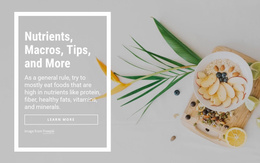
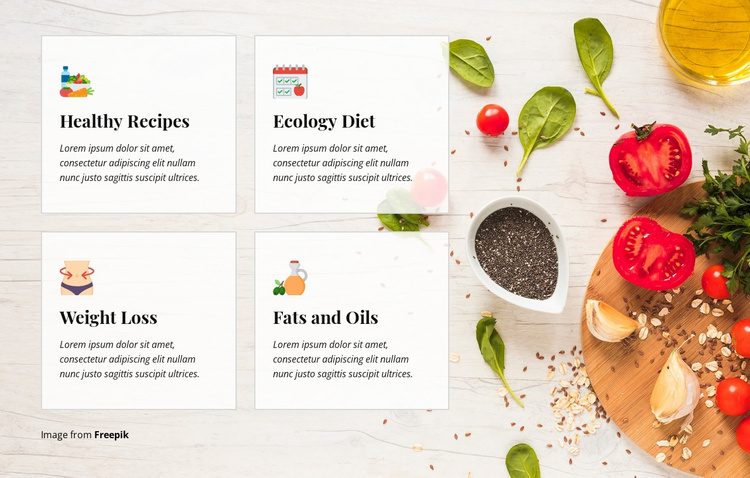
The block supplies a clearly bounded nutrition section that can be reused within a larger website project. Its four cards—Healthy Recipes, Ecology Diet, Weight Loss, and Fats and Oils—cover related topic categories without attempting to provide every detail those topics may require. Each card follows the same icon-title-description pattern, making the section easy to recognize when placed among other content areas.
The two-column, two-row structure keeps the category group compact on the left, while the food-themed background image gives it a strong visual setting. Pale translucent surfaces connect the cards to the photograph without sacrificing readability, and thin borders preserve separation between repeated items. Dark serif headings and compact italic copy establish a visual pattern that could be coordinated with related recipe, health, or food sections elsewhere in the project. The visible descriptions should be replaced with final content before publication.
As a Website Template section, this block can handle one recurring information role while other pages or blocks provide introductions, detailed recipe content, testimonials, contact areas, or calls to action. Its value lies in its self-contained four-category arrangement and recognizable visual treatment, not in claiming to contain a complete website or an existing multi-page structure.
Customize with Nicepage
Open this ready-made template in the Website Template Builder and customize it visually in the Nicepage editor. Replace demo content, edit page sections, and adapt the design to your project without rebuilding the template from scratch.
Edit Template Offline
2. Create a new page or select existing
3. Click Add new block, search for id 70447 and click enter
Edit Template Online
Create Awesome Websites


Free Nicepage Builder
Keywords
Build a Complete Website From This Template
Customize the Website Visually
Use this ready-made website template as a starting point for your project and adapt its pages visually in Nicepage. Change content, images, typography, navigation, sections, and other design elements while keeping the website together as a single editable project.
Manage Website Pages in One Project
Use the Pages panel to open, add, duplicate, and manage the pages of your website. Work on individual pages while keeping navigation and the overall site structure accessible from the same project, making it easier to develop a complete website instead of managing separate page files.
Expand the Website With Matching Designs
When you need additional pages or sections, use Page Design Sets to find Page and Block Designs created in the same visual style. Design Sets group matching designs together, making it easier to expand the website with new content while maintaining a consistent look across its pages and sections.
Organize Larger Multi-Page Websites
As the website grows, use Page Folders to organize related pages and keep larger multi-page projects easier to navigate in the editor. This is especially useful for websites with separate service pages, company information, contacts, landing pages, and other content areas.
This workflow makes the template a practical foundation for building and expanding a complete website while managing its pages, content, and visual design within one Nicepage project.