Insurance proposal Website Template


Edit Template Offline
2. Create new page and search for id 6493888
Edit Template Online
Create Awesome Websites


Free Nicepage Builder
Keywords
Coverage, Process, Pricing, and Terms Establish a Site Foundation
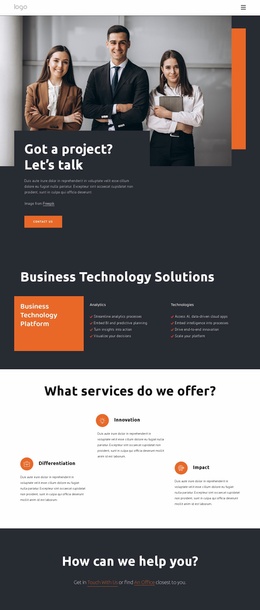
The opening proposal banner, overview, goals, and company sections establish the information a broader insurance website would need to explain its purpose and credibility. The needs assessment then adds a customer-focused content area, pairing explanatory text and a checklist with consultation imagery. Together, these sections define more than a single promotional message: they create a foundation for presenting who the provider is, what customers may need, and how the discussion can begin.
The four package cards give the design a clear coverage structure. Health, home, business, and travel insurance can remain distinct content areas while sharing the same visual treatment, making them suitable reference points for future service-focused pages or expanded package information. The numbered process sections add another organizing layer by showing stages and timescales, while the customer feedback area provides a separate place for experience-based content. These relationships help the project grow around recognizable categories rather than a collection of unrelated sections.
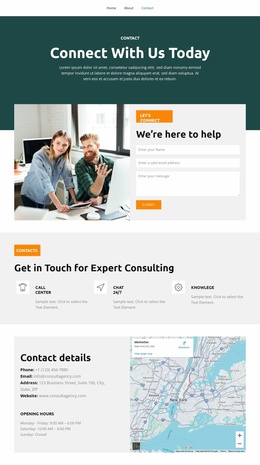
Pricing, terms, and contact content complete the practical foundation. The comparison table supports plan evaluation, the terms section provides space for detailed conditions, and the final prompt with contact form creates a clear inquiry area. The sample company name, displayed prices, and testimonial wording are structural placeholders and should be replaced with verified project content. Even so, the arrangement gives a larger insurance website a coherent starting information architecture that can support additional pages while preserving the proposal’s visual direction.
Customize with Nicepage
Open this ready-made template in the Website Template Builder and customize it visually in the Nicepage editor. Replace demo content, edit page sections, and adapt the design to your project without rebuilding the template from scratch.
Build a Complete Website From This Template
Customize the Website Visually
Use this ready-made website template as a starting point for your project and adapt its pages visually in Nicepage. Change content, images, typography, navigation, sections, and other design elements while keeping the website together as a single editable project.
Manage Website Pages in One Project
Use the Pages panel to open, add, duplicate, and manage the pages of your website. Work on individual pages while keeping navigation and the overall site structure accessible from the same project, making it easier to develop a complete website instead of managing separate page files.
Expand the Website With Matching Designs
When you need additional pages or sections, use Page Design Sets to find Page and Block Designs created in the same visual style. Design Sets group matching designs together, making it easier to expand the website with new content while maintaining a consistent look across its pages and sections.
Organize Larger Multi-Page Websites
As the website grows, use Page Folders to organize related pages and keep larger multi-page projects easier to navigate in the editor. This is especially useful for websites with separate service pages, company information, contacts, landing pages, and other content areas.
This workflow makes the template a practical foundation for building and expanding a complete website while managing its pages, content, and visual design within one Nicepage project.