Optimize for Visibility HTML Template


A Five-Cell Mosaic for Static Recognition Content
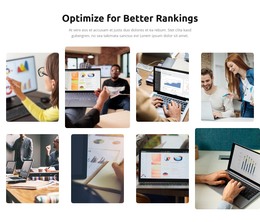
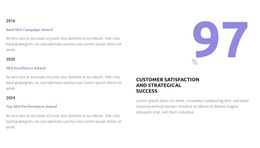
The large left-hand photograph establishes the visual anchor, while the four smaller cells on the right divide the recognition content into alternating image and award areas. Three photographic panels keep the section connected to a professional visual story, and the two colored tiles introduce concise text without competing with the imagery. Their displayed labels, “Best SEO Campaign Award” and “SEO Excellence Award,” are paired with the years 2013 and 2022, giving each tile a clear internal hierarchy.
As a ready-made section inside a static HTML page, this arrangement can present professional recognition without requiring the surrounding page to carry the same mosaic structure. The asymmetrical composition is particularly suited to a mid-page awards or credibility area: the large image creates a visual pause, while the smaller cells let visitors scan the two award references quickly. Purple and orange backgrounds separate the tiles from the photographs, and rounded corners soften the compact grid-like arrangement.
The block remains one focused content area rather than a complete static website. Other sections can provide the page introduction, navigation, service explanation, or contact content, while this mosaic supplies a visually distinct recognition moment within the broader HTML layout.
Customize with Nicepage
Open this ready-made template in the HTML Builder and customize it visually in the Nicepage editor. Replace demo content, edit page sections, and adapt the design to your project without rebuilding the template from scratch.
Edit Template Offline
2. Create a new page or select existing
3. Click Add new block, search for id 6359016 and click enter
Edit Template Online
Create Awesome Websites


Free Nicepage Builder
Keywords
Use This Block in a Static HTML Page
Start With a Ready-Made Section
A block provides one prepared content area that can be combined with other sections to build a static HTML page. Customize its text, images, spacing, colors, and other elements in the Nicepage editor while keeping the block focused on its own purpose, such as services, testimonials, pricing, contact information, or visual presentation.
Export the Containing HTML Project
When the page or website that contains the block is ready, use HTML Export to create the files required for a static HTML project. The export applies to the containing page/site rather than turning one individual block into a complete website by itself.
Reuse the Section Within the Project
The same block design can be adapted as one content section within a larger static site. Other Blocks can provide navigation, introductions, portfolios, forms, footers, and additional page content while this section keeps its own verified content and layout role.
This workflow makes the block useful as a ready-made section inside a static HTML implementation, with export and deployment handled at the page or website level.