Automotive garage Website Template


A reusable automotive services pattern for a broader site
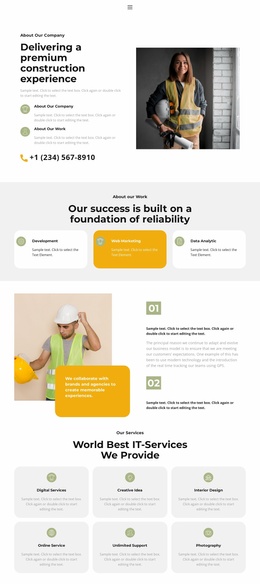
The section already establishes one stable content role: introducing an automotive repair service and directing visitors toward contact or appointment information. Its central copy covers car and truck repair, brakes, engine repair, wheel alignment, steering, and suspension, while the “contact us” CTA gives that service area a practical endpoint. The large mechanic portrait and tire-service image make the subject recognizable without requiring the block to explain every detail of the business.
Within a broader website project, this block could serve as a recurring services pattern on an about or services page, while other sections handle testimonials, pricing, location details, or fuller contact information. The red center panel can act as a visual cue for the repair offering, and the dark right panel can remain associated with appointment copy and four social links. That separation helps the section coordinate with neighboring designs without losing its own identity. Reuse would preserve the three-column relationship and the distinction between primary service information and supporting appointment context. The block contributes one dependable content area to a larger project; it does not contain the surrounding page set or define the complete website structure.
Customize with Nicepage
Open this ready-made template in the Website Template Builder and customize it visually in the Nicepage editor. Replace demo content, edit page sections, and adapt the design to your project without rebuilding the template from scratch.
Edit Template Offline
2. Create a new page or select existing
3. Click Add new block, search for id 62492 and click enter
Edit Template Online
Create Awesome Websites


Free Nicepage Builder
Keywords
Use This Block in a Broader Website Template Project
Treat the Block as One Reusable Site Section
A website project is assembled from multiple pages and sections. The analyzed block provides one reusable content area—such as services, About, testimonials, pricing, gallery, team, or contact—while the rest of the site supplies other page-level functions.
Coordinate the Section With Other Pages
Use the Pages panel to manage the pages of the broader project. The block can remain one consistent section pattern while related pages add deeper information or different content without implying that the Block ID itself contains those pages.
Expand With Matching Designs
When additional pages or sections are needed, Page Design Sets can help locate matching Page and Block Designs. This can extend the visual direction around the existing block while keeping the site's other content areas separate.
This workflow treats the block as a reusable building unit inside a larger Website Template project, not as a complete website foundation on its own.